CI Integration
Hosanna provides CI-safe commands, but it does not impose one universal pipeline file. Start from the application’s package.json, lockfile, engine requirement, and HST/compiler Roku projects. Run Roku packaging on workers with the required tools and signing access. Browser jobs validate Roku emulation.
Recommended Stages
- Install: use the repository’s required Node version and
npm cito restore the framework, tools and matching platform compiler. - Integrate the framework: run
npx hst sdk:installto repair links to the locked npm SDK. - Validate in the browser emulator: generate source, type-check, lint, test, and build with the project scripts.
- Check the Roku compiler: run
npx hst doctorandnpx hsc --versionbefore Roku builds. No separate compiler download or license-key secret is required. - Restore CI secrets: run
npx hst build-config:restore-secretsonly in jobs that need those overlays. - Build Roku: use explicit environment, target, app profile, and
--non-interactive. - Package and sign: isolate credentials by platform and release lane.
- Archive: retain the artifact, test report, source revision, resolved-source manifest, and checksums.
Example browser validation from the root of an application already migrated to npm:
npm ci
npx hst sdk:install
npm run generate
npm run lint
npm test
npm run build:browser
The framework, tools and compiler come from the public npm registry. This browser job needs no separate framework checkout or compiler installation. Migrate older application manifests, compiler pins and setup scripts before adopting this pipeline.
Use the exact scripts present in the app; do not copy a sample command that its package.json does not define.
Build Jobs
Keep the target explicit and fail instead of prompting:
# In the Roku job, restore the same locked dependencies:
npm ci
npx hst sdk:install
npx hst doctor
npx hst build roku prod device \
  --hsc-project platforms/hsconfig-roku.prod.json \
  --non-interactive
For app flavors, add --app <key> consistently to config resolution, build, tests, and packaging.
Secrets and Trust Boundaries
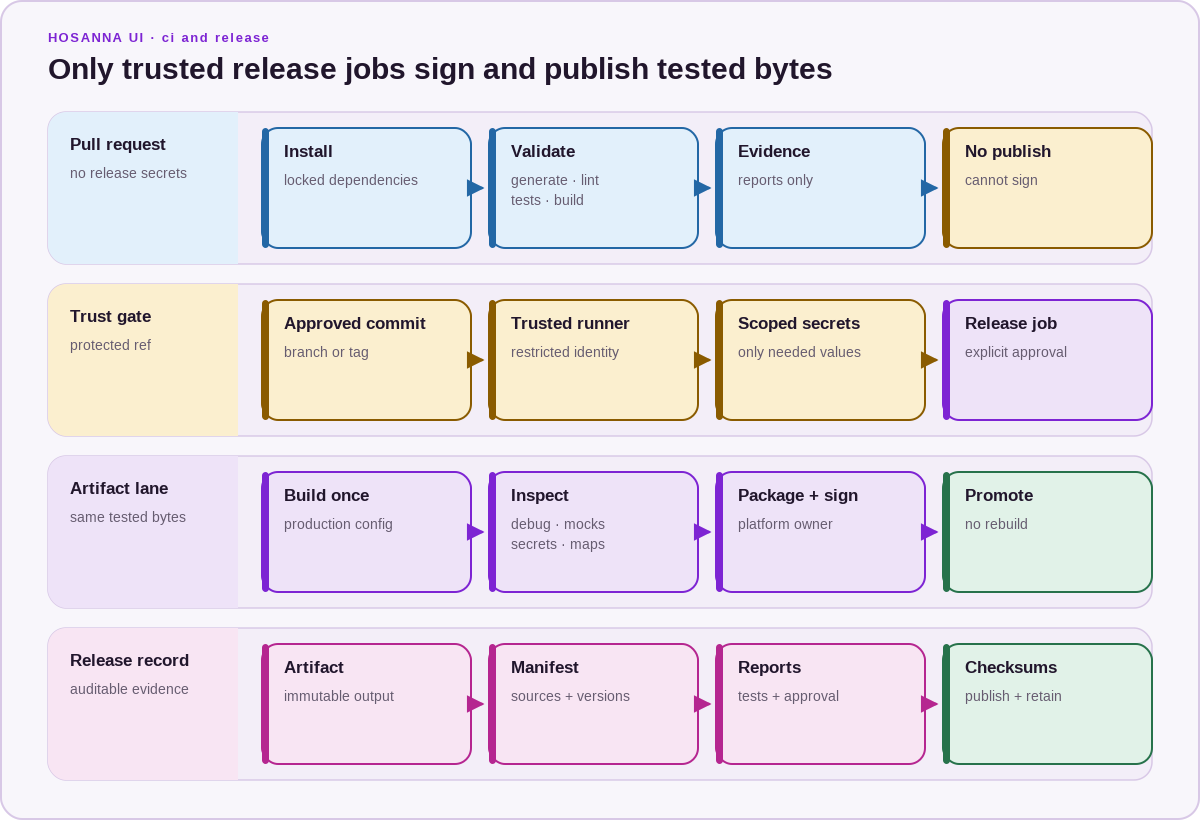
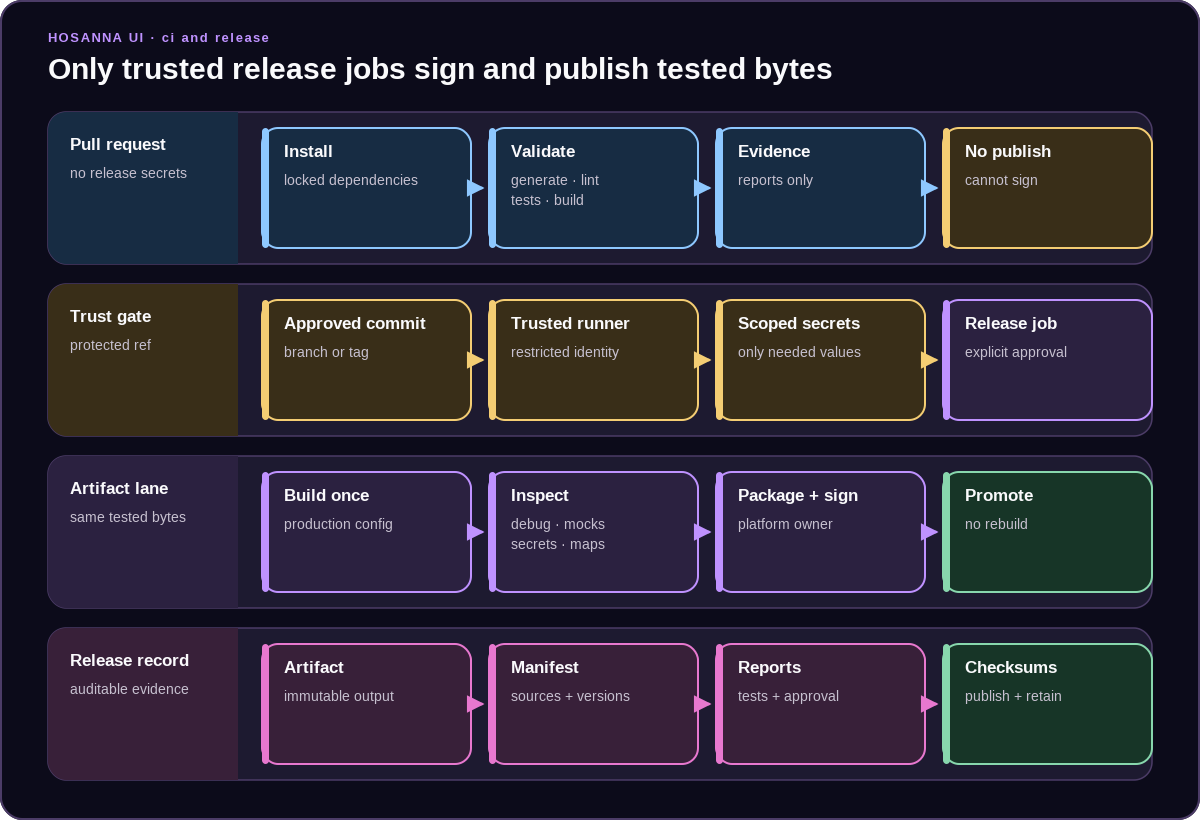
- Store signing keys, store tokens, Roku passwords, and base64 overlays in protected CI variables. The npm compiler does not require a license-key secret.
- Restrict signing jobs to protected branches/tags and trusted workers.
- Do not expose secrets in command arguments when an environment variable is supported.
- Do not cache restored
secrets/, native signing state, or resolved secret-bearing config in a shared cache. - Review pull-request pipelines so untrusted code cannot print protected variables or upload forged artifacts.
build-config:restore-secrets accepts:
BUILD_CONFIG_SECRETS_<ENV>_BASE64
BUILD_CONFIG_PROFILE_SECRETS_<PROFILE>_BASE64
The variables decode to ignored JSON overlays. Keep normal endpoints and non-confidential behavior in tracked build-config/ so a release remains reviewable.
Tests and Device Labs
Build simulator assets for development checks and package the production application for Roku. Validate the Roku package on hardware before release.
The Samples repository exposes browser tests and Roku build/device checks:
npm run test:ui:web
npm run roku:bundle
npm run test:ui:roku
Physical Roku runs require a reachable device and should not share a sideload target between concurrent jobs.
Reproducibility Checklist
- Pin dependencies with the lockfile and use
npm ci. - Pin the npm SDK, tools and compiler in the app manifest and lockfile. Keep optional dependencies enabled so npm installs the matching native compiler package.
- Use a supported compiler host: macOS or glibc-based Linux, on x64 or arm64.
- Record HST, SDK, compiler, Node, platform SDK, and runner versions.
- Generate timestamps and Git metadata once per release, before the build matrix fans out.
- Build each artifact once; promote the tested bytes.
- Publish checksums and retain test evidence with the artifact.
- Make retries create a new build number unless the output is proven byte-for-byte identical.