Running on Roku
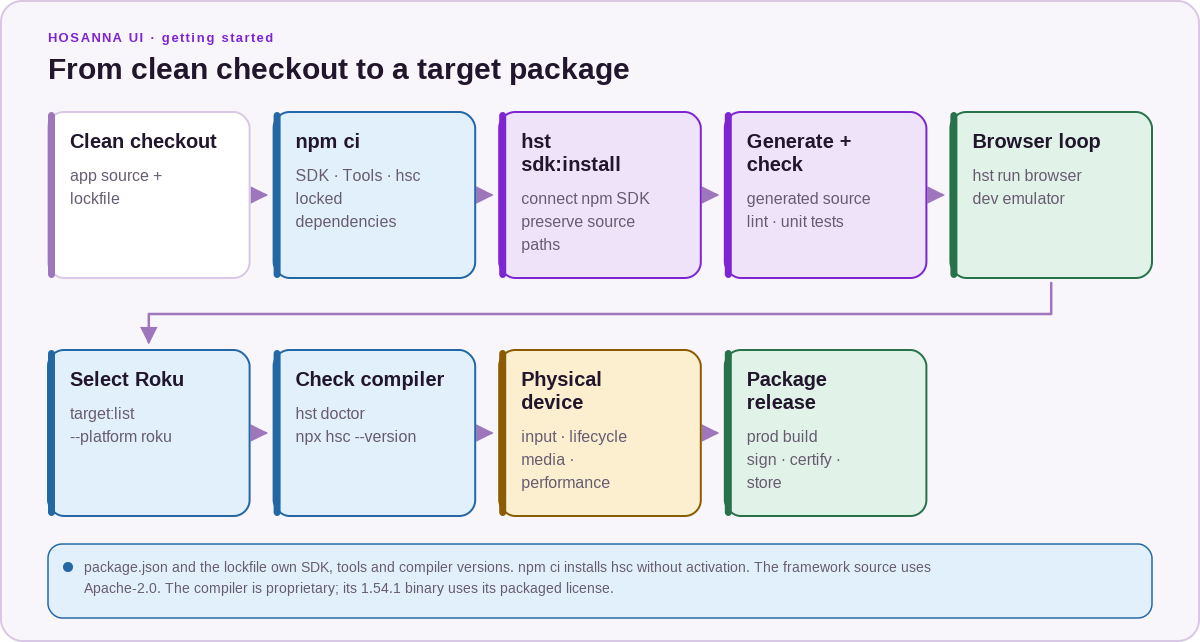
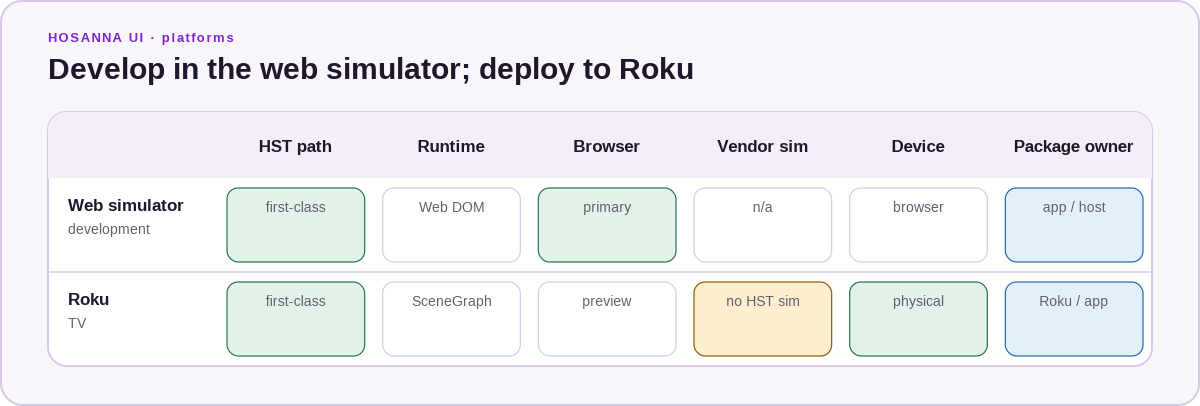
Start with the web simulator for fast iteration:
npx hst run browser dev emulator
Discover a Roku
Enable developer mode on the Roku and configure the project's ignored device credentials. List available devices:
npx hst target:list --platform roku
Build and run
npx hst build roku dev device
npx hst run roku dev device --device "<roku name or ip>"
Application repositories can supply an explicit compiler project and source root through their checked-in scripts. Prefer those scripts when they exist.
Use Hosanna DevTools and the MCP debugger to inspect views, state, focus and logs. Keep hardware checks for startup, playback, remote input, deep links, memory and rendering performance in the release workflow.
See Building for Roku and Debugging Roku apps.