JavaScript Runtime Implementation
Roku does not execute JavaScript. For a Roku build, the Hosanna Compiler transforms the application's TypeScript into BrightScript and supplies runtime helpers for JavaScript behavior that BrightScript does not provide directly.
Web and native targets execute JavaScript in their host runtimes, while the shared Hosanna APIs and platform bridges keep application code aligned. This is why portable code must satisfy both TypeScript and Roku-specific compiler/linter rules even if it already works in a browser.
Compilation model
A normal Roku build:
npx hst build roku dev device
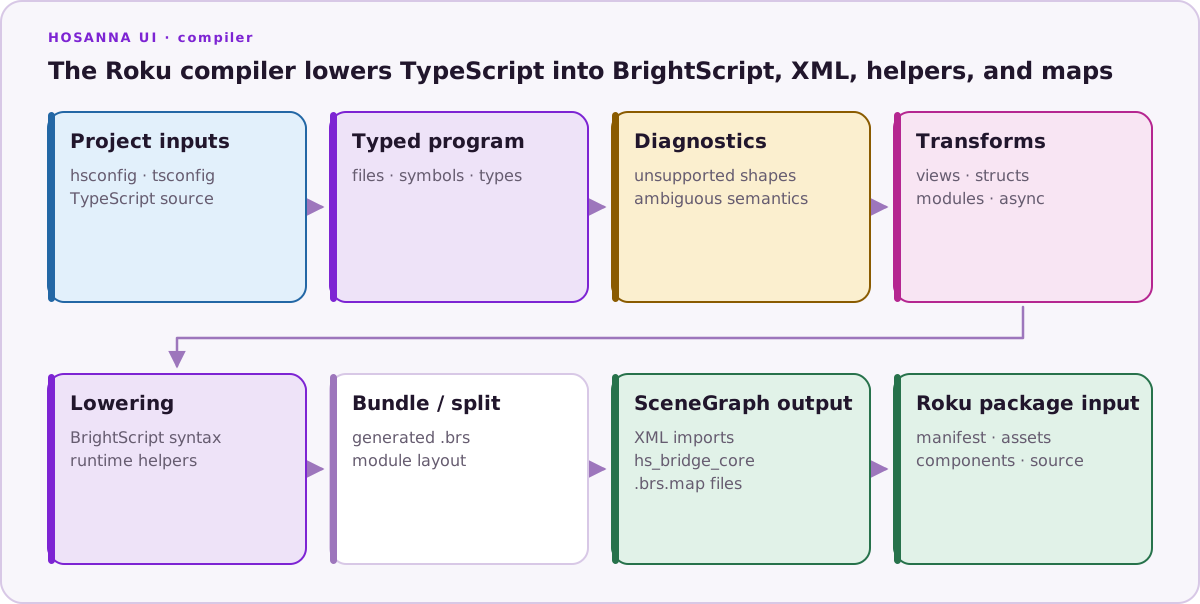
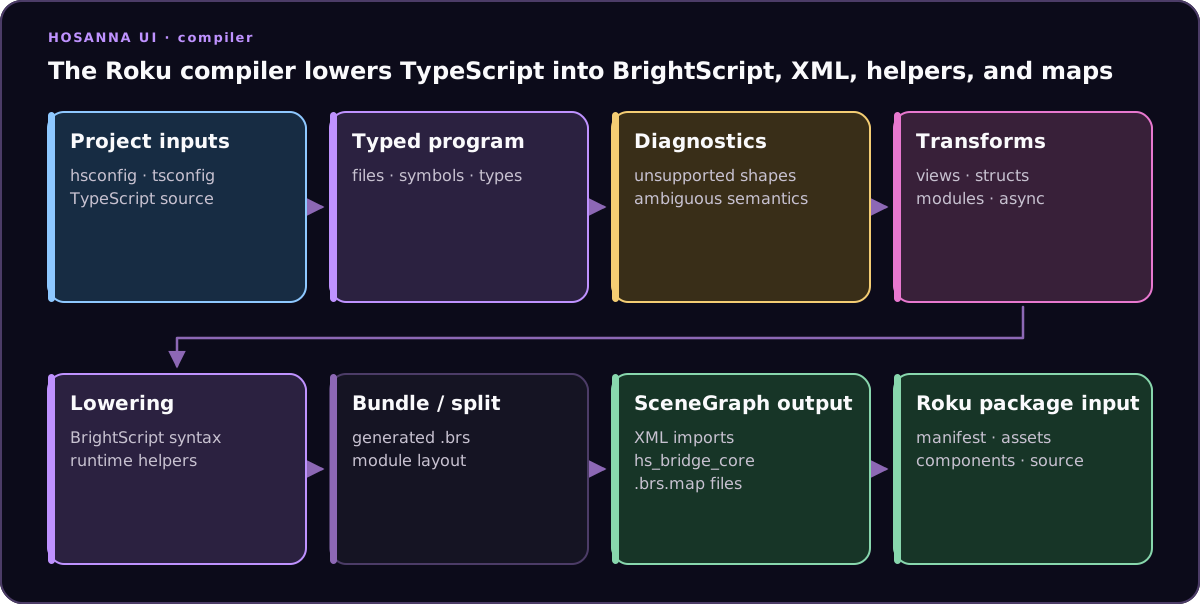
At a high level, the compiler:
- loads
hsconfig.jsonand TypeScript project information; - resolves types needed for transforms such as views, structs, modules, closures, async functions, and long integers;
- reports unsupported or ambiguous constructs;
- lowers supported JavaScript operations to BrightScript or Hosanna runtime helpers;
- bundles or splits generated BrightScript according to source-generation settings; and
- writes source maps so generated locations can be traced back to TypeScript.
Generated BrightScript is a diagnostic artifact, not an authoring surface. Change the TypeScript or compiler configuration and rebuild rather than editing generated output.
See the focused guides for:
- Conditional Compilation;
- Async Function Pointers;
- 64-bit Integers;
- Async/Await; and
- Runtime Limitations.
Compiler diagnostics
hsc prints diagnostics during the Roku build. Treat them as portability or
correctness findings, not background noise: a construct can be valid TypeScript
and still have different or expensive BrightScript semantics.
Use the VS Code source-map navigation or Roku Stack Source Maps to inspect the generated location when a transform is unclear.
Project-level filtering
Filter a known diagnostic code in hsconfig.json only after reviewing every
current occurrence:
{
  "diagnosticFilters": [
    "HS-1038",
    "HS-1058"
  ]
}
A project filter affects every matching diagnostic, including future code. A targeted line suppression is usually safer.
Targeted suppression
Suppress all compiler diagnostics on the next node:
// hs:disable-next-line
operationWithReviewedGeneratedOutput();
Or suppress named codes:
// hs:disable-next-line HS-1038, HS-1058
operationWithReviewedGeneratedOutput();
The compiler also supports file-level hs:disable comments and maps supported
Hosanna ESLint suppressions to their compiler diagnostics. Prefer the smallest
scope and include a reason in the surrounding comment or review.
Do not suppress an error merely because web tests pass. Verify the generated BrightScript and run the Roku path that exercises it.
Source directives
Exclude code from Roku
At the beginning of a file, before executable code, this excludes the whole file from Roku compilation:
// hs:exclude-from-platform roku

export function browserOnlyFeature() {
  // ...
}
After executable code has begun, the directive applies to the following node:
export const sharedValue = 1;

// hs:exclude-from-platform roku
export function nativeHostOnlyFeature() {
  // ...
}
Keep whole-file directives in the comment-only prefix so their scope is unambiguous.
Opt out of module wrapping
// hs:no-module emits a file without Hosanna's module wrapper. It is intended
for low-level entrypoints and runtime utilities:
// hs:no-module

function Main() {
  // ...
}
Top-level runtime statements in a no-module file produce invalid BrightScript file-scope code and are rejected. Keep execution inside functions. Application features should use ordinary modules unless a platform entrypoint specifically requires otherwise.
Embed BrightScript
hs_native_roku inserts a small BrightScript fragment in Roku output:
function platformName(): string {
  hs_native_roku('return "roku"');
  return 'non-roku';
}
Use it only for narrow platform interop that cannot be represented through the bridge APIs. Raw fragments bypass TypeScript's understanding, are harder to test across targets, and should not contain general application logic.
Debugging generated behavior
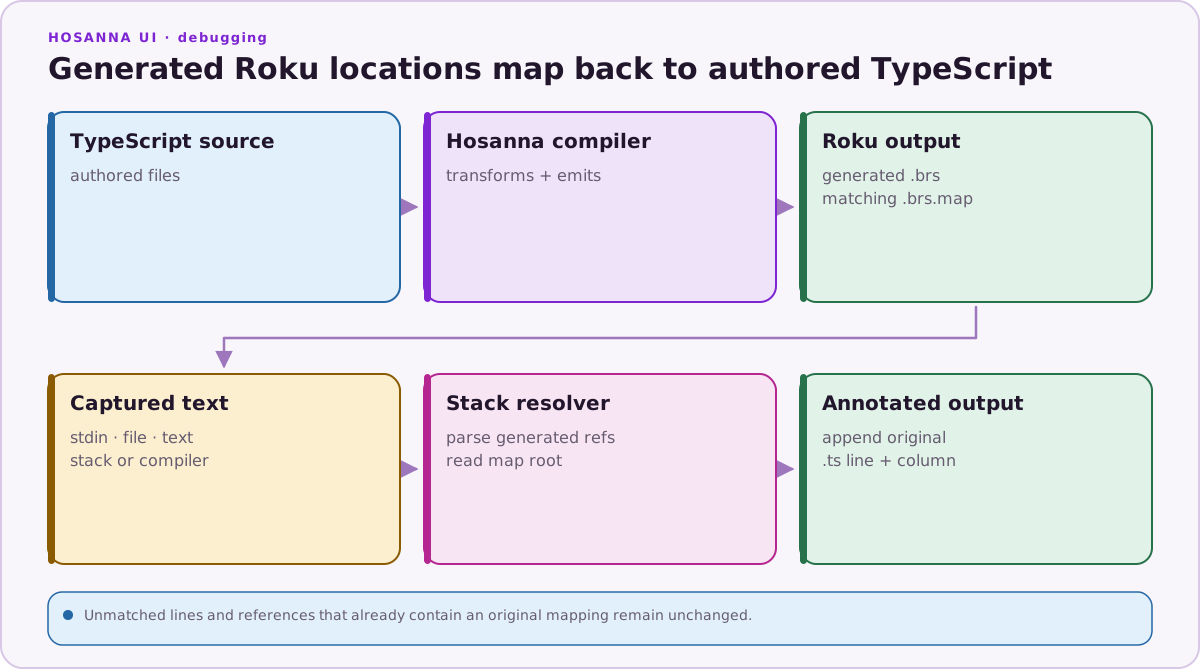
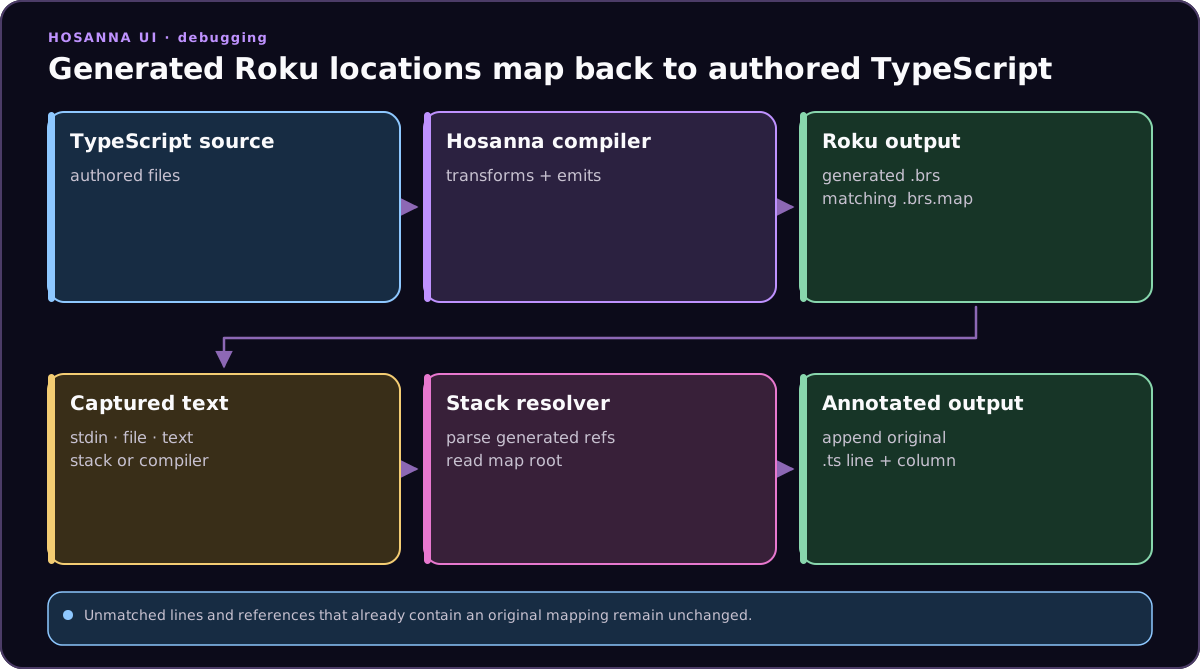
When a Roku-only issue appears:
- reproduce it with the same
hstplatform, environment, and target used by the failing build; - read the first compiler diagnostic, not only the final failure;
- map the generated
.brslocation back to TypeScript; - inspect the helper or transformed construct around that location;
- reduce the code to the smallest unsupported pattern; and
- add a cross-platform or Roku-specific test before suppressing a diagnostic.
For common semantic differences—dates, regular expressions, number parsing, closures, and unsupported library methods—start with Runtime Limitations.