Performance Overview
Performance is a target-specific product requirement, not a browser-only score. Use the browser to locate expensive application work quickly, then measure the bundled build on representative low-capability hardware. Roku SceneGraph, Apple and Android native renderers, and the Web renderer have different allocation, text, image, and scheduling costs.
Define a Scenario First
Record a repeatable path and the outcome that matters:
| Scenario | Useful observations |
|---|---|
| Cold launch | Time to first usable screen and first focus |
| Open a screen | Input-to-visible-state latency and renderer/view creation |
| Scroll a rail or grid | Frame pacing, focus continuity, image readiness, pool growth |
| Navigate deeply and return | Retained views/renderers and recovery latency |
| Play video while browsing | Decoder/UI contention and memory pressure |
| Suspend and resume | State restoration and duplicate work/listeners |
Use production-like data and a production/bundled build when validating a release. Debug logging, remote inspection, source maps, and recording can change timing.
Measurement Loop
- Reproduce one scenario on a named target and build revision.
- Capture timing, logs, a recording, and memory/pool evidence.
- Classify the bottleneck: application work, layout/reconciliation, images, native rendering, network, video, or retained memory.
- Change one variable.
- Repeat the identical scenario and compare with the baseline.
- Verify the change on every supported renderer family.
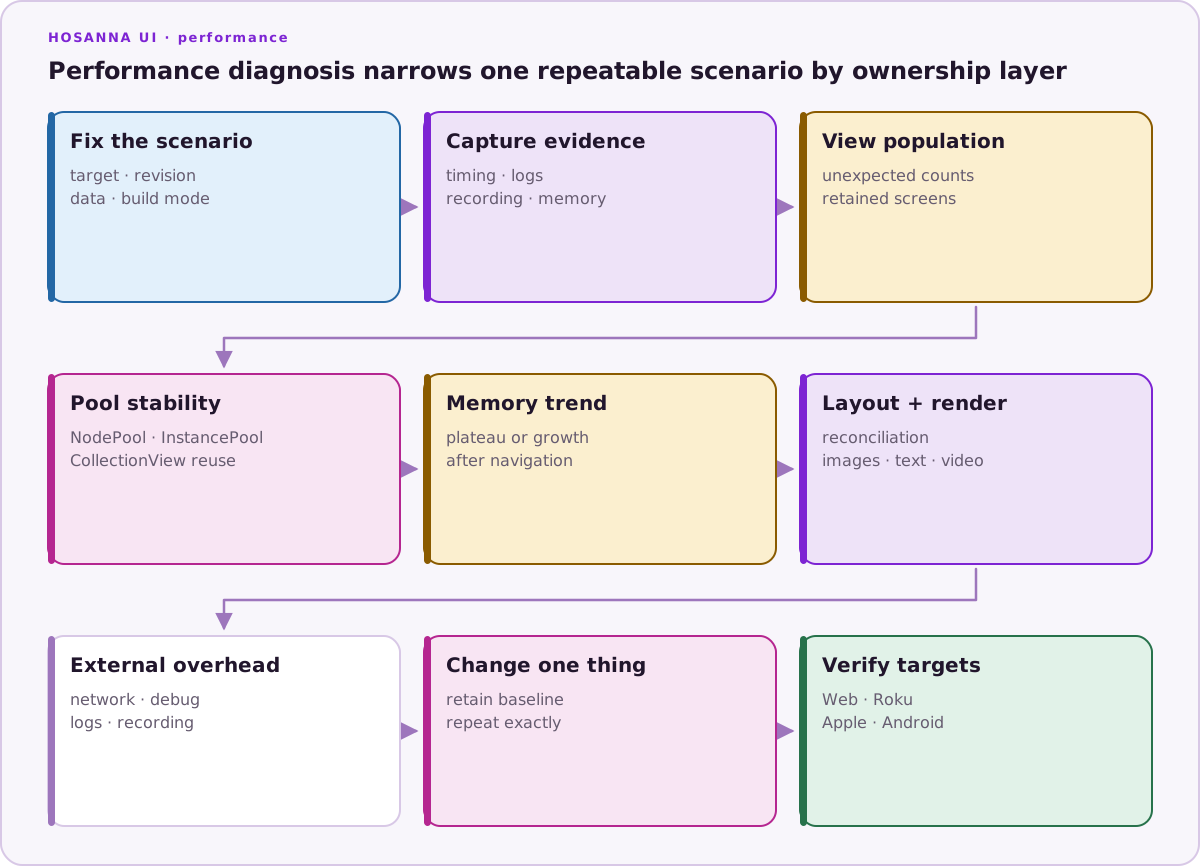
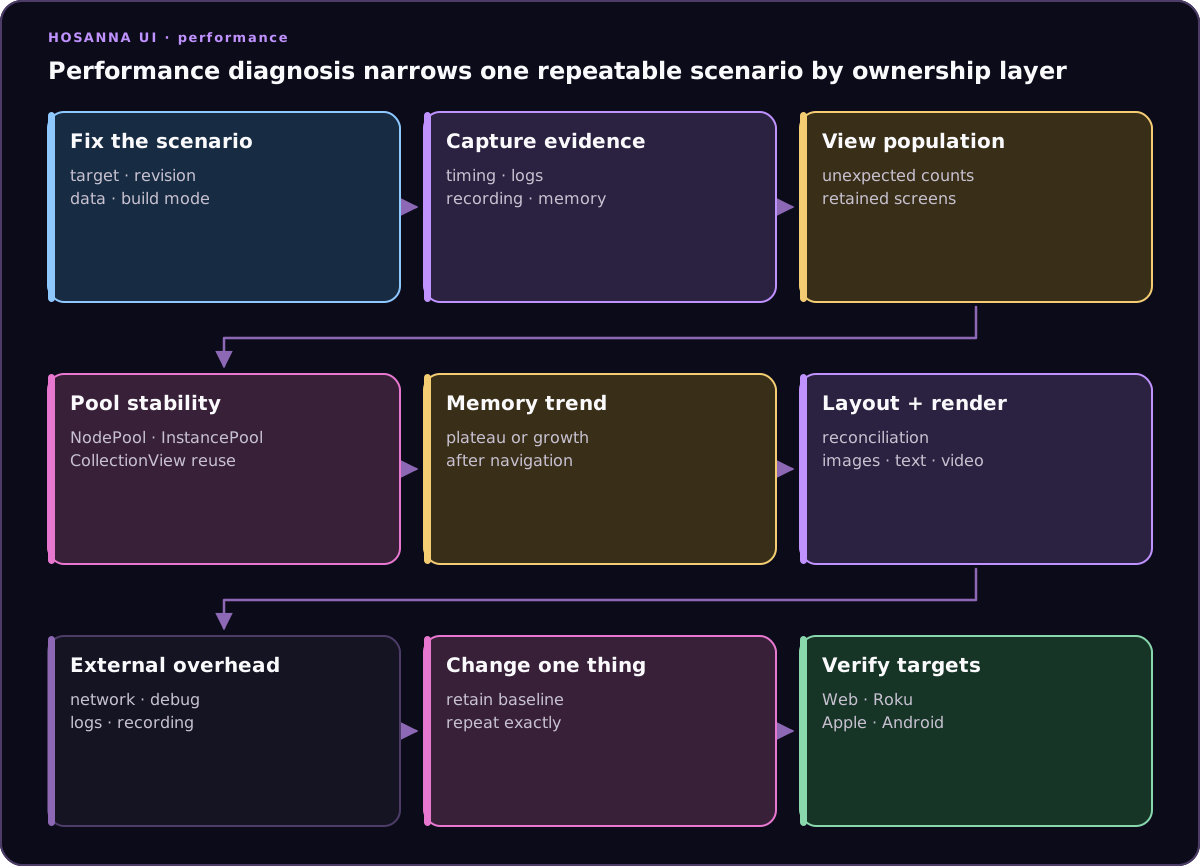
Do not optimize from a single slow frame or an unconstrained development build. Warm caches, device temperature, background work, and network variation can dominate one run.
Hosanna Performance Mechanisms
Hosanna provides mechanisms, not automatic guarantees:
- generated view state and reconciliation avoid rebuilding native trees blindly;
CollectionViewvirtualizes rows/cells and reuses pooled instances;NodePoolreuses renderer nodes;InstancePoolreuses framework/application objects that implement the reuse contract;- view hibernation can release renderers while retaining logical navigation state;
- performance tiers can preload selected fragments/instances and choose animation, graphics, and navigation-hibernation policy.
Incorrect IDs, unstable data, oversized images, side effects in render paths, or excessive preloading can defeat those mechanisms.
Performance Tiers
The AppConfig performance section has low, medium, and high settings. AppPerformanceManager selects a tier from hosannaDevice.deviceQuality; an explicit active object can override selection.
{
  "performance": {
    "low": {
      "animationsEnabled": true,
      "forceHDGraphics": false,
      "aggregateViewHibernationPolicy": "Balanced",
      "cellPoolSettings": [],
      "instancePoolSettings": []
    },
    "medium": {
      "animationsEnabled": true,
      "forceHDGraphics": false,
      "aggregateViewHibernationPolicy": "Light",
      "cellPoolSettings": [],
      "instancePoolSettings": []
    },
    "high": {
      "animationsEnabled": true,
      "forceHDGraphics": false,
      "aggregateViewHibernationPolicy": "Never",
      "cellPoolSettings": [],
      "instancePoolSettings": []
    }
  }
}
The hibernation values are Never, Light, Balanced, and Aggressive. For navigation transitions, Light applies after depth 10, Balanced after depth 5, and Aggressive whenever the supported policy context permits it. Navigation stacks under a TabController are excluded from this transition policy.
Start with empty preload arrays. Add measured entries only for a repeatable cold-path allocation spike; every preloaded object increases startup work and retained memory.
Tools and Evidence
- Hosanna DevTools exposes view/focus state and reusable instance-pool diagnostics.
- Browser Performance and Memory tools are useful for the Web renderer.
- Xcode Instruments and Android Studio/Perfetto provide native timing and allocation evidence.
- Roku device logs and memory tools reveal device-only constraints.
- Regression proofs make a scenario repeatable, but video is evidence rather than a timing assertion.
Framework contributors can run the source repository’s focused test:sanity, test:sanity:baseline, and test:perf:* scripts. Application repositories should define their own representative scenarios instead of treating a framework microbenchmark as an app performance result.
Completion Criteria
A performance change is ready when it improves the named scenario, preserves behavior and focus, does not shift the cost to startup or memory, and holds on the lowest supported target. Record the before/after revision, build mode, device, data set, and measurement method.