Build Config
Build config resolves environment, platform, developer, and runtime settings into one generated file. Every platform reads the same canonical runtime path:
pkg:/assets/meta/build-config.json
Web, Roku, Android, and Apple builds should resolve environment-specific overlays before packaging or serving the app. The running app loads the generated file from the canonical path instead of choosing an environment-specific source file at runtime.
Concepts
Hosanna separates these configuration layers:
| Concept | Purpose |
|---|---|
| App config | Existing app, theming, layout, rows, cells, fragments, translations, and runtime app structure. app.config.*.json selection and $extendFile inheritance remain separate from build config. |
| Build info | Generated metadata about the build. This remains generated. |
| Build config | Environment, platform, developer, and runtime settings needed by the app or toolchain: remote debug, MCP, service URLs, config base URL, mock HTTP, device overrides, tasks, Perfetto, live playlist flags, and similar values. |
| Secrets | Secret overlays merged into generated build config at build or dev-server time. Source secret files are never bundled directly as secrets.json. |
Do not use one layer to solve another layer's job:
| Layer | Selected by | Owns |
|---|---|---|
| Run config | .hosanna-tools/run.json, --app, --device, --target | which app/flavor, platform, target kind, device, ports, and build/deploy inputs HST uses |
| Build config | --env, --platform, --profile | runtime services, remote debug, MCP, mocks, flags, device overrides, and secret overlays |
| App config | --app-config, expression, platform, default file | UI structure, theme, fragments, rows, cells, translations, and app-specific selectors |
hst run and hst build resolve build config before running their platform actions, so daily launch commands normally do not need a separate build-config:resolve call.
Source Files
Source overlays live in build-config/. Generated outputs and local profile data stay out of git.
build-config/
  base.json
  dev.json
  qa.json
  prod.json
  dev.web.json
  dev.roku.json
  profiles/
    george.json        # ignored

secrets/
  dev.json             # ignored or CI-provided
  profiles/
    george.json        # ignored

.build-config/
  resolved/            # ignored generated metadata

assets/meta/
  build-config.json    # ignored generated runtime copy
Do not put source config under .build-config/; that directory is for generated/internal output.
CI Secret Restore
CI should restore ignored secret overlays before resolving the runtime file. build-config:restore-secrets reads base64-encoded JSON environment variables and writes ignored files under secrets/:
BUILD_CONFIG_SECRETS_DEV_BASE64=... npx hst build-config:restore-secrets --env dev
npx hst build-config:restore-secrets
Supported names are:
| Environment variable | Restored file |
|---|---|
BUILD_CONFIG_SECRETS_<ENV>_BASE64 | secrets/<env>.json |
BUILD_CONFIG_PROFILE_SECRETS_<PROFILE>_BASE64 | secrets/profiles/<profile>.json |
The values must decode to JSON objects. The restore command does not print secret values.
Merge Order
hst resolves build config in this order. Later files override earlier files:
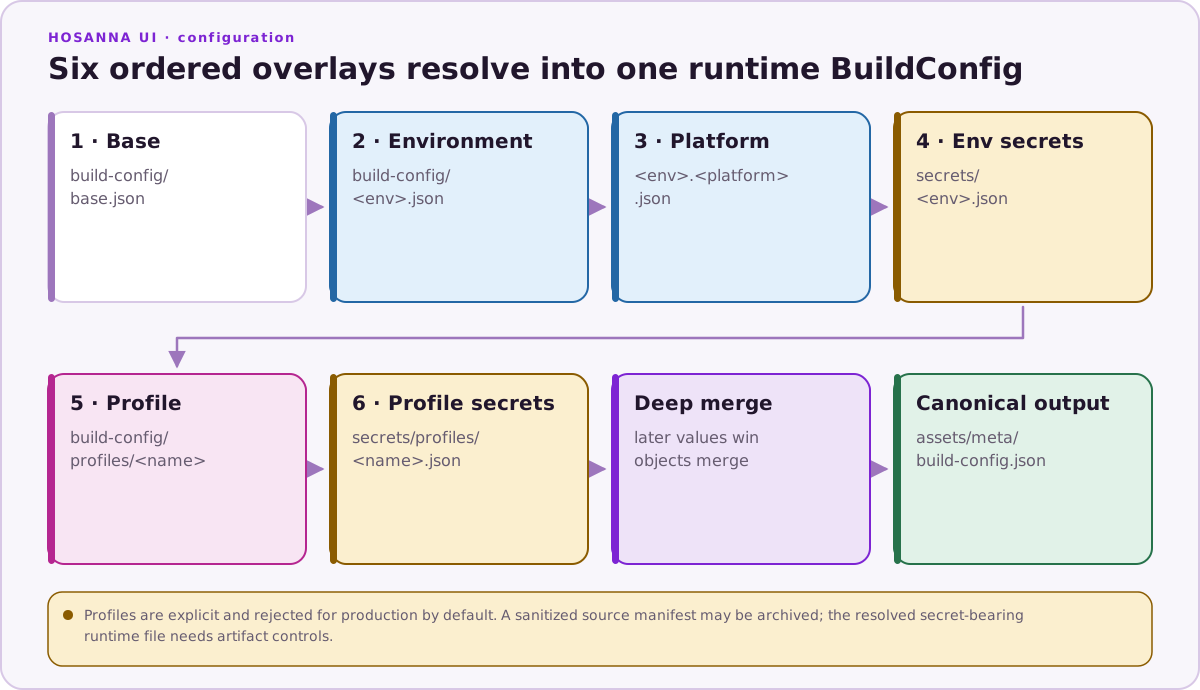
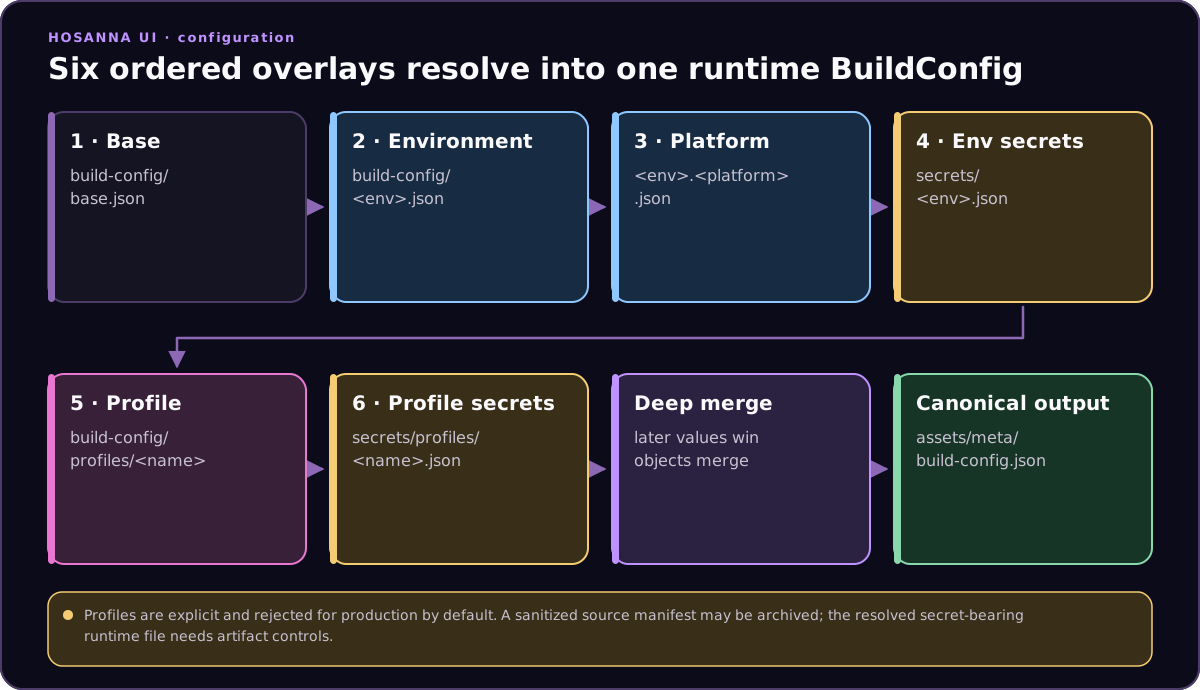
Profiles are never loaded automatically. Use a profile only when explicitly requested with --profile <name> or the matching dev-server environment/query setting.
Profiles are rejected for prod by default. Only use a production profile with an explicit danger flag, and never commit secrets or local profile files.
Resolving Config
Use hst build-config:resolve from the app repo:
npx hst build-config:resolve --env dev --platform web --format json
npx hst build-config:resolve --env prod --platform roku --out assets/meta/build-config.json
npx hst build-config:resolve --env dev --platform roku --profile george --out assets/meta/build-config.json
npx hst build-config:resolve --env dev --platform web --profile george --explain
You can also provide the target as shell environment variables before the command. CLI flags win when both forms are present.
| CLI option | Environment fallback |
|---|---|
--env | HS_ENV or HOSANNA_BUILD_ENV |
--platform | HS_PLATFORM or HOSANNA_BUILD_PLATFORM |
--profile | HS_BUILD_PROFILE |
--allow-profile-in-prod | HS_ALLOW_PROFILE_IN_PROD=true |
HS_ENV=dev HS_PLATFORM=roku npx hst build-config:resolve --out assets/meta/build-config.json
HS_ENV=dev HS_PLATFORM=web HS_BUILD_PROFILE=george npx hst build-config:resolve --format json
The generated config includes metadata describing how it was resolved:
{
  "$buildConfig": {
    "env": "dev",
    "platform": "web",
    "profile": "george",
    "sources": [
      "build-config/base.json",
      "build-config/dev.json",
      "build-config/dev.web.json",
      "secrets/dev.json",
      "build-config/profiles/george.json",
      "secrets/profiles/george.json"
    ]
  }
}
Source file names are safe to log. Secret values are not.
Browser Development
Vite serves /assets/meta/build-config.json dynamically in development. The middleware calls the resolver on each request, so developers can edit build config, profiles, or secrets and refresh the browser without restarting Vite.
GET /assets/meta/build-config.json?env=dev&profile=george
Equivalent resolver command:
npx hst build-config:resolve --env dev --platform web --profile george --format json
For production web builds, resolve once during the build and package the generated assets/meta/build-config.json.
Roku And Native Builds
Roku, Android, iOS, and Apple builds resolve build config once before compile/package and bundle the canonical runtime file.
npx hst build-config:resolve --env dev --platform roku --out assets/meta/build-config.json
npm run roku:build

npx hst build-config:resolve --env dev --platform android --out assets/meta/build-config.json
npm run android:build-code

npx hst build-config:resolve --env dev --platform apple --out assets/meta/build-config.json
npm run apple:build-code
With a developer profile:
HS_ENV=dev HS_PLATFORM=roku HS_BUILD_PROFILE=george npx hst build-config:resolve --out assets/meta/build-config.json
npm run roku:build
Runtime APIs
Use build-config named APIs for new code:
@injectBuildConfig('remoteDebug.isEnabled')
private remoteDebugEnabled?: boolean;

const host = AppUtils.getBuildConfig<string>('remoteDebug.host');

configurationLoader.loadBuildConfig();
configurationValidator.validateBuildConfig();
Remote App Config
Build config can say where remote app configs are loaded from:
{
  "config": {
    "baseUrl": "https://cdn.example.com/hosanna/config"
  }
}
config.remoteAppConfigBaseUrl is accepted as a legacy fallback. There is no defaultAppConfig build-config field; the default file name comes from the app-config candidate rules.
Do not hand-build remote config filenames. Use the build config resolver API so web, Roku, Android, Apple, local files, and remote files choose app config consistently:
const target = buildConfig.resolveRemoteAppConfigTarget({
  expression: launchArgs.expression,
  platform: device.platform,
  appConfig: launchArgs.appConfig
});
Resolution order matches local app config resolution:
1. explicit appConfig override
2. app.config.<expression>.json
3. app.config.<platform>.json
4. app.config.json
Remote loaders should try each candidate in order until one loads successfully.
Deprecations
Older projects may still contain debug-flags.*.json files or APIs such as @injectFlag, AppUtils.getDebugFlag, configurationLoader.loadDebugFlags, and configurationValidator.validateDebugFlags. These remain as temporary compatibility wrappers only. New code should use build-config/*.json, @injectBuildConfig, AppUtils.getBuildConfig, and the generated assets/meta/build-config.json runtime file.