Remote Debugger Architecture
The remote debugger is a runtime inspection and control channel for Hosanna apps. It is used by the browser DevTools extension, its focused diagnostic recorders, and the MCP debugger tools.
Components
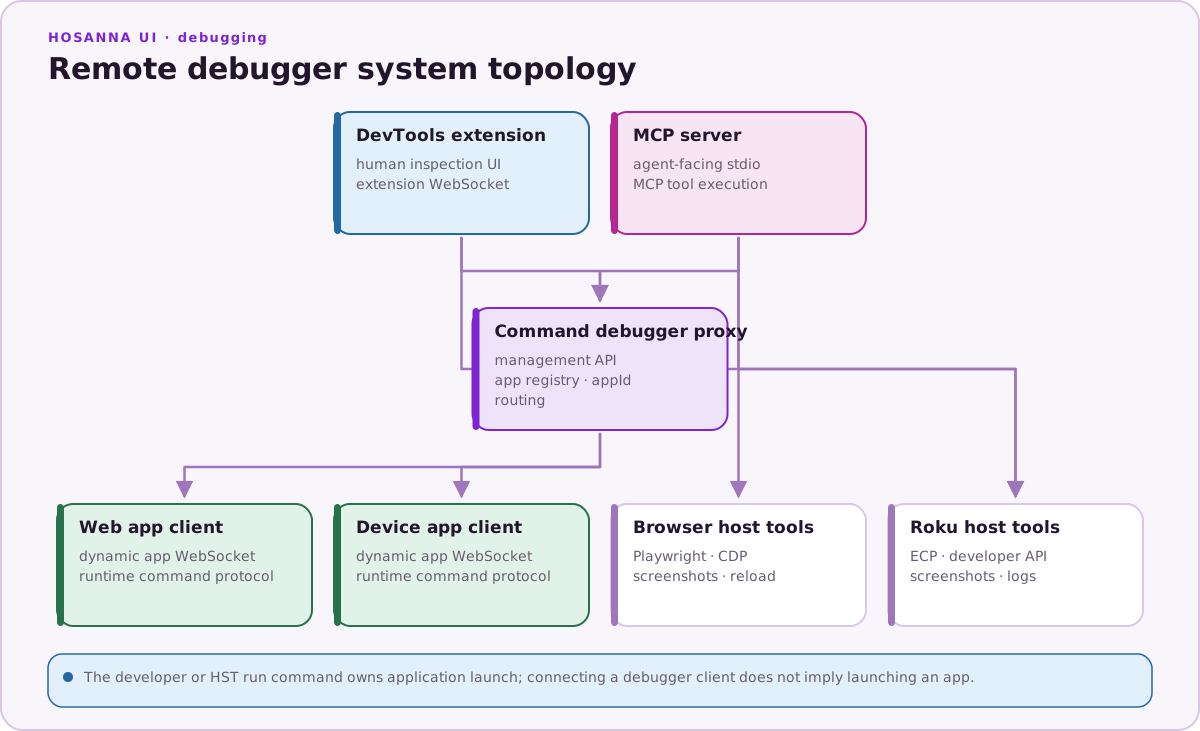
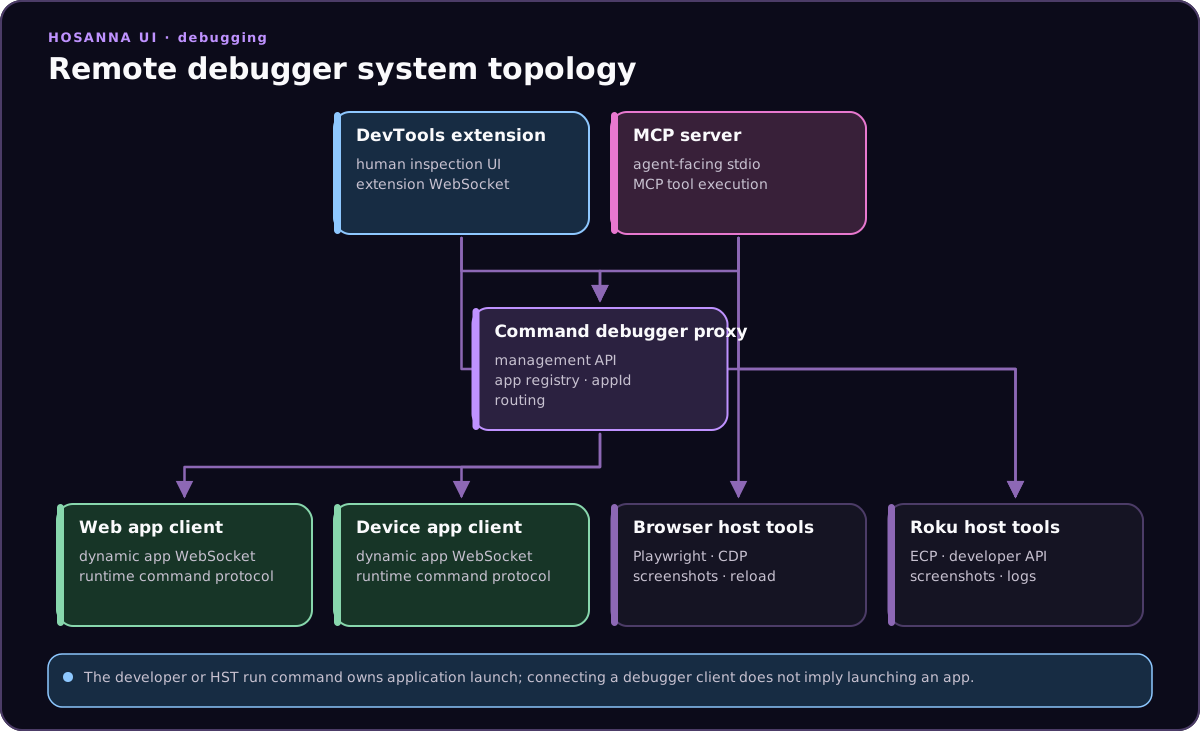
DevTools and MCP share app discovery, routing, and the runtime command protocol. Their client processes and browser/Roku host transports remain distinct.
| Component | Provided by | Purpose |
|---|---|---|
RemoteDebugClient | hosanna-ui | Handles normal DevTools commands in the running app |
MCPRemoteDebugClient | hosanna-ui | Extends the client with request IDs, MCP context, tracing, screenshots, and targeted slices |
hst debugger:start | @tantawowa/hosanna-tools | WebSocket and HTTP proxy between app, extension, and MCP |
| DevTools extension | hosanna-ui-browser-extension | Human UI for tree inspection, remote input, logs, recorders, registry, and styles |
hst mcp:start / hosanna-mcp | @tantawowa/hosanna-tools | MCP server used by AI agents and automation |
Enabling Remote Debugging
Remote debugging is controlled by build config. For local development, create an explicit profile such as build-config/profiles/local-debug.json:
{
  "remoteDebug": {
    "isEnabled": true,
    "isStartServerByDefault": true,
    "host": "localhost",
    "webAppServerPort": 59151,
    "deviceAppServerPort": 59152
  },
  "mcp": {
    "isEnabled": true
  }
}
Start the proxy and app with the profile:
npx hst debugger:start
npx hst run browser dev emulator --profile local-debug
When the app launches, BaseApp creates either RemoteDebugClient or
MCPRemoteDebugClient, registers it, and connects to the proxy. 59151 and
59152 are the configurable web/device base or legacy endpoints. Current
clients can request a per-app port from the management API, so do not assume
that every web or device app stays on one fixed WebSocket port.
For a physical Tizen or webOS package, remoteDebug.host must be the
development machine's reachable LAN address, never TV-local localhost. HST
stages the exact development WebSocket origin into the vendor host and keeps it
out of production CSP. The existing protocol and appType: web remain shared;
optional platformId and platformOS registration metadata distinguish
Browser, Tizen, and webOS clients.
Protocol Areas
The protocol covers these areas:
- Hosanna tree:
GetHsViews,GetHsViewByHid,SetHSFields - SceneGraph tree:
GetSGViews,GetSGViewById,SetSGFields - CollectionView:
GetCollectionView,GetRowsSlice, row/cell details, field updates, refresh, and diagnostic batches - Focus and navigation:
GetFocusedView,SetFocusedView,GetDebugContext,GetFocusGraph - Highlighting: hover highlight, sticky selection highlight, element selection by coordinates
- Registry: read, add, update, remove, clear
- IoC and instance pools: inspect services and pooled instances
- Events and input:
SendEvent,SendKeyEvent, simulated key events, typed text - Text-to-speech: inspect status, current item, queue, completed items, pause/resume/clear
- Tracing: handler tracing, render tracing, lifecycle tracing, render frequency, CollectionView row lifecycle
- Screenshots and reload: Browser screenshot, Roku screenshot through ECP, Browser reload, and bounded same-package-file query reload for the packaged-TV test harness
- Logs: app logs, Roku logs, search, clear, export
Data Safety
Debugger serializers avoid directly walking arbitrary cyclic objects. Tree and state payloads use safe copying, depth controls, and targeted commands when possible. For large apps, prefer targeted commands such as GetFocusedView, GetDebugContext, GetCollectionView, GetRowsSlice, or GetHsViewByHid over repeatedly requesting the full tree.
Coordinate Inspection
Coordinate-based inspection uses app design coordinates. The simulator and mouse inspection send { x, y } to HighlightItem or HighlightItemSelect; the app uses hit testing against Hosanna bounds and CollectionView row/cell geometry to find the matching view.
Holding Shift while clicking in the simulator selects the parent of the last selected view. This is useful for moving from a leaf label/image to the containing row, cell, group, or screen.
Multi-App Debugging
The debug proxy can track multiple connected apps. Use --appName with hst debugger:start or hst dev:start to make instances easier to identify:
npx hst debugger:start --appName fanduel-hosanna
npx hst dev:start --vitePort 5170 --appName fanduel-hosanna
The DevTools app selector and MCP get_connected_apps / health output use
these registrations. For TV investigations, verify reconnect after Home,
suspend, relaunch, and network loss. Old-device TLS and CSP behavior must be
tested on hardware rather than inferred from a desktop preview.
For physical Tizen/webOS tests, no-argument application relaunch is implemented
outside the protocol by DeviceDriver terminate/launch followed by MCP
reconnection. Query-bearing rig navigation uses ReloadPage, but the runtime
accepts only a query-only URL that resolves to the current file:// package
file. Neither path advertises a vendor launch-CLI deep-link capability, and
neither platform has a shared screenshot transport.