HST Command Reference
Run HST through the application lockfile:
npx hst version
npx hst --help
npx hst <command> --help
This page reflects the Browser, Tizen, and webOS command surface. The command help from the application's locked HST version remains authoritative.
Global Options
| Option | Purpose |
|---|---|
--help | Print command-specific help |
--version | Print version information |
--verbose | Enable verbose HST logging |
Environment and Project Configuration
| Command | Purpose |
|---|---|
version | Print the HST version |
env check | Inspect Node, project, compiler, platform, and tool prerequisites |
env fix | Apply supported environment repairs |
env prepare-gitignore | Add supported generated/secret paths to .gitignore |
config show | Print current hosanna.json configuration |
config set | Update a curated configuration value |
config wizard | Configure the project interactively |
secrets:init | Create .secrets from .secrets.example when absent |
secrets:list | List secret keys without values |
secrets:check | Compare .secrets with its template |
secrets:exec | Run a command with .secrets loaded into its environment |
Examples:
npx hst env check
npx hst config show
npx hst secrets:check
npx hst secrets:exec -- npm run build
Target Discovery
| Command | Purpose |
|---|---|
target:list [platform] | Discover browser presets, simulators, emulators, and devices |
device:setup <tizen|webos> --host <host> | Run the credential-safe vendor CLI setup steps; supports --dry-run |
device:list [--type <type>] [--json] | Merge vendor discovery with .hosanna-tools/devices.json preferences |
device:inspect <type> --device <selector> | Open the vendor inspector for a trusted Tizen/webOS device |
device:terminate <type> --device <selector> | Terminate the selected Tizen/webOS application |
npx hst device:setup tizen --host 192.168.1.20 \
  --signing-profile samsung-tv-dev --dry-run
npx hst device:setup webos --host 192.168.1.30 \
  --alias living-room --get-key
npx hst target:list
npx hst target:list apple-tv
npx hst device:list
npx hst device:list --type tizen --json
npx hst device:list --type webos --json
Tizen discovery parses sdb devices; webOS discovery parses
ares-setup-device --list. If a vendor CLI is unavailable, configured aliases
can still appear as offline entries. That is inventory fallback, not proof that
the TV is paired or reachable.
Run
hst run [platform] [env] [target] [deviceSelector]
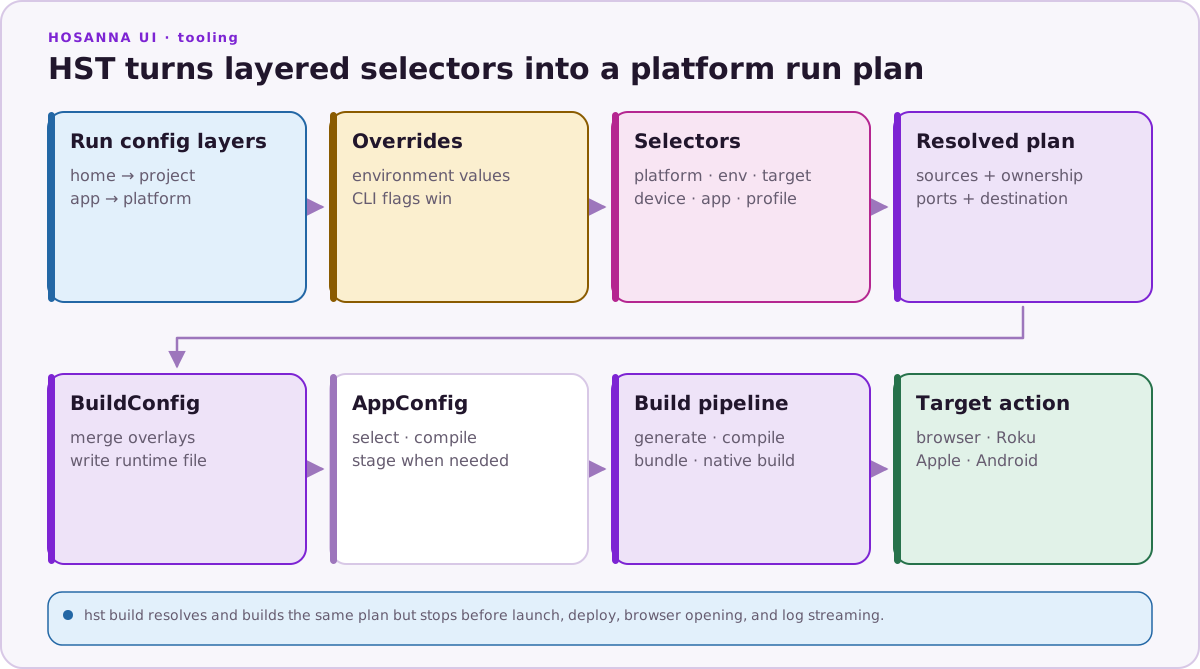
Supported platforms include browser, tizen, webos, roku, ios,
apple-tv, android, android-tv, carplay, android-auto, apple-watch,
and wear-os. Legacy web input normalizes to canonical browser.
Public target emulator means a browser-hosted preview. Tizen and webOS do not
advertise a vendor simulator in the initial release; their preview still
compiles the vendor initializer and sends keyboard input through that vendor's
real semantic adapter path.
Important options:
| Option | Purpose |
|---|---|
--device <selector> | Select an IP, serial, UDID, AVD, simulator, device name, or browser preset |
--app <key> | Select an app/flavour from run configuration |
--profile <name> | Add a build-config developer profile |
--app-config <selector> | Select runtime AppConfig |
--hot-reload | Use a supported native JS development server |
--bundled | Use bundled native JavaScript/assets |
--reuse | Reuse a matching HST session |
--replace | Replace a conflicting session or occupied device resource |
--last | Reuse the last interactive destination |
--no-open | Do not open the browser |
--no-build | Skip the platform build for device runs |
--no-logs | Do not stream device logs |
--dry-run | Print the resolved run plan without executing it |
--explain | Include configuration-source details in text plan output |
--format text|json | Select plan/result format |
--non-interactive | Fail instead of prompting |
--hsconfig <path> | Select an explicit native/Roku hsconfig |
--hsc-project <path> | Select an explicit Roku compiler project |
--build-cmd <command> | Override the package-bundle or emulator dev command; HST parses executable and arguments once and does not invoke a shell |
--vite-config <path> | Select a Browser/Tizen/webOS Vite configuration |
--signing-profile <name> | Select an external Samsung certificate profile |
--app-id <id> | Override the packaged application ID; Tizen expects the full <tizen:application id>, not its 10-character package prefix |
Port overrides are --vitePort, --managementPort, --webAppPort, --deviceAppPort, and --extensionPort.
Without an override, desktop preview resolves the host application's own Vite
executable and passes the selected --config plus --port as structured
arguments. An emulator --build-cmd override owns those config and port
arguments itself; HST executes the parsed vector exactly and never interpolates
it through a shell.
Examples:
npx hst run browser dev emulator
npx hst run tizen dev emulator
npx hst run webos dev emulator
npx hst run tizen dev device --device 192.168.1.20 \
  --signing-profile samsung-tv-dev
npx hst run webos dev device --device living-room
npx hst run ios dev sim --device "iPhone 17 Pro"
npx hst run android-tv dev sim --device "Television_1080p" --hot-reload
npx hst run carplay dev sim --device "iPhone 17 Pro"
npx hst run android-auto dev sim --device Hosanna_Phone_API_35
npx hst run apple-watch dev sim --device "Apple Watch Series 11 (46mm)"
npx hst run wear-os dev sim --device Hosanna_Wear_OS_API_36
npx hst run roku dev device --device "living room"
npx hst run roku prod device --app criterion --dry-run --explain
Android Auto and Wear OS currently use bundled headless Hermes runtimes. HST
rejects --hot-reload for those two targets before native preparation or
development services start.
Build
hst build [platform] [env] [target] [deviceSelector]
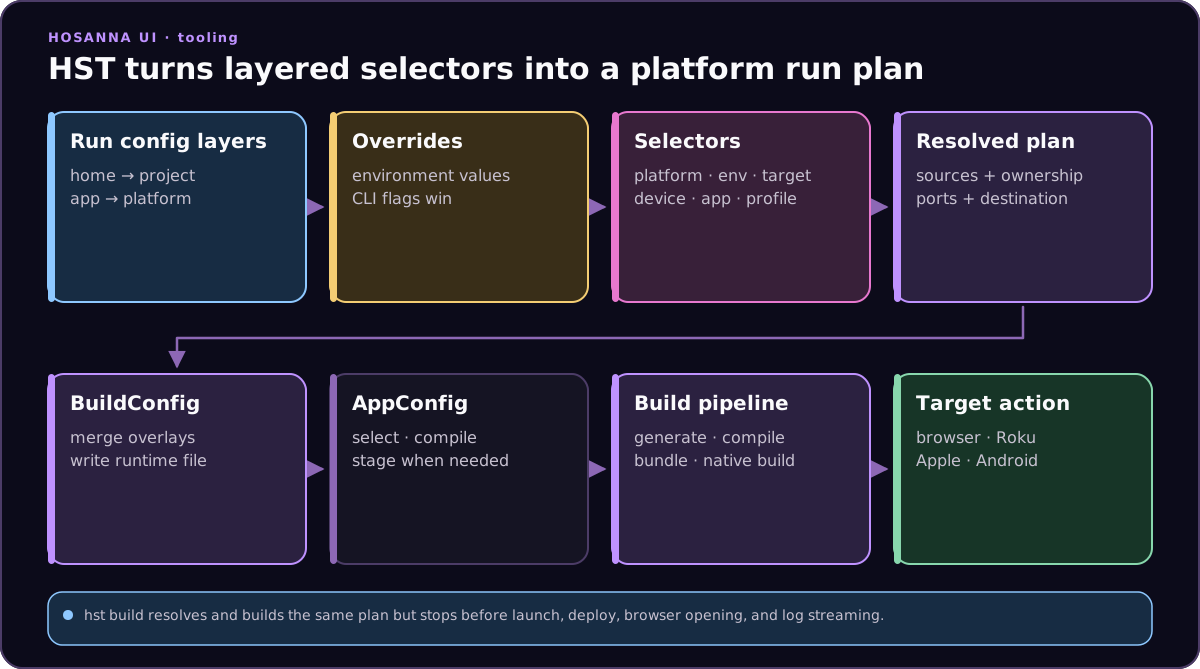
build shares platform, environment, target, device, app, profile, AppConfig,
native-mode, config-selection, dry-run, and output-format options with run.
It does not launch, deploy, open a browser, or stream logs. The Browser
emulator build-only plan resolves build inputs; use the host application's
production Vite script to emit deployable Browser assets.
npm run build:browser
npx hst build tizen prod device --signing-profile samsung-tv-dev
npx hst build webos prod device
npx hst build roku prod device --hsc-project platforms/hsconfig-roku.prod.json
npx hst build ios dev sim --device "iPhone 17 Pro"
Tizen and webOS build plans generate AppConfig, bundle with the app-local Vite,
stage the vendor host, and package .wgt or .ipk output. hst build returns
the package path and never discovers, installs to, or launches a TV. Physical
discovery and deployment happen only in hst run ... device.
Samsung uses sdb plus tizen build-web, signed tizen package, install,
launch, terminate, and inspector operations. Tizen inspection uses the full
application ID, parses Samsung's debug port, forwards it through SDB to
loopback, prints the local URL, and opens it. LG uses the remembered ares
device and ares-package, ares-install, ares-launch,
ares-inspect --open, and terminate operations. Vendor CLIs, trust, signing
profiles, SSH keys, and accounts stay in vendor-managed stores or protected CI
secrets. HST device files contain only friendly aliases, defaults, and serials.
device:setup tizen runs sdb connect, verifies authorization with
sdb devices, and can check an existing exact tizen security-profiles name.
It does not enable Developer Mode, accept the TV prompt, create a certificate,
register a DUID, or grant installation permission.
device:setup webos registers an ares alias. --default can make it the
ares default; --get-key launches the official interactive
ares-novacom --getkey prompt and then verifies system access. HST does not
receive the passphrase or store the resulting private key. LG account sign-in
and Key Server activation remain manual.
npx hst device:inspect tizen --device 192.168.1.20
npx hst device:terminate tizen --device 192.168.1.20
npx hst device:inspect webos --device living-room
npx hst device:terminate webos --device living-room
TV drivers do not promise vendor-native log streaming. Application and MCP logs are the common path. Hardware recording uses an explicitly configured capture card or macOS window/display source, not a vendor-native recorder.
Build Config
| Command | Purpose |
|---|---|
build-config:resolve | Resolve tracked, secret, platform, environment, and profile overlays |
build-config:restore-secrets | Restore ignored overlays from BUILD_CONFIG_SECRETS_*_BASE64 variables |
build-config:resolve options:
| Option | Purpose |
|---|---|
--env <name> | Environment; falls back to HS_ENV or HOSANNA_BUILD_ENV |
--platform <name> | Platform; falls back to HS_PLATFORM or HOSANNA_BUILD_PLATFORM |
--profile <name> | Optional developer profile; falls back to HS_BUILD_PROFILE |
--allow-profile-in-prod | Explicitly permit a developer profile in production |
--out <path> | Write resolved JSON |
--manifest-out <path> | Write a sanitized source manifest |
--format json | Print JSON to stdout |
--explain | Print sources without secret values |
AppConfig
| Command | Purpose |
|---|---|
app-config:resolve | Resolve an AppConfig file and root-level $extendFile inheritance |
Options are --input, --cwd, --expression, --platform, and --out.
npx hst app-config:resolve --expression tv --platform roku
npx hst app-config:resolve --input app.config.phone.json --out /tmp/app-config.json
The current CLI does not provide app-config:compile or app-config:clean.
Native Projects
| Command | Purpose |
|---|---|
native:init [platform] | Initialize app-owned native thin projects and configuration |
native:prepare [platform] | Run lightweight native prebuild validation |
native:doctor [platform] | Diagnose native prerequisites and print fixes |
Supported native platform selectors are ios, apple-tv, android,
android-tv, carplay, android-auto, apple-watch, and wear-os.
The aggregate all selector covers all eight targets; use cars or watches
for only those semantic surface groups. Aliases are watchos for
apple-watch, and wearos or android-watch for wear-os.
native:init, native:prepare, and native:doctor accept
--android-auto-media-browser-service <class> to configure the app-owned
MediaBrowserService or MediaLibraryService. HST replaces unchanged managed
media templates, preserves edited files with actionable warnings, and
normalizes flattened Android components to manifest service class names.
Code and Asset Generation
| Command | Purpose |
|---|---|
generate:all | Generate structs and command-handler maps |
generate:structs [files...] | Generate structs for selected files or the project |
generate:clean | Remove generated output managed by HST |
generate:9patch | Generate 9-patch assets |
game:prep-level <input> | Normalize Tiled JSON to the canonical Hs2d runtime subset |
Compiler, SDK, and Framework
| Command | Purpose |
|---|---|
compiler:install [version] | Install bin/hsc; default version comes from hosanna.json |
compiler:status | Report configured and installed compiler state |
compiler:list | List versions known from configuration, Keygen, installation, and cache |
sdk:install | Install the configured SDK distribution |
framework:update | Update a Keygen-distributed framework checkout to its pinned version |
framework:sync | Maintainer workflow for managed client forks |
framework:doctor | Validate managed client forks and pins |
template:create | Create a template application with the SDK |
Licensing
| Command | Purpose |
|---|---|
license:activate <key> | Validate and store a framework license key |
license:status | Validate the stored key and print entitlements |
Do not pass real keys in logs or committed scripts. Prefer environment or secret-manager injection.
Roku
| Command | Purpose |
|---|---|
roku:run | Deploy an app zip or folder |
roku:command <command> | Send an app command through ECP |
roku:package | Package and sign a channel with roku-deploy |
roku:map-stack | Map BrightScript stack/compile locations through .brs.map files |
ci:extract-pkg-key <pkg> | Extract a Roku signing key as base64 for CI storage |
complib:package | Package built standalone component-library output |
complib:serve | Serve component-library archives for an on-device development loop |
Use hst run roku ... for normal development. Use the lower-level commands for explicit pipeline steps.
Debugger and MCP
| Command | Purpose |
|---|---|
debugger:start | Start the command-debugger WebSocket proxy |
mcp:start | Start the Hosanna MCP server |
mcp:stop | Stop the server represented by the MCP lock/PID file |
dev:start | Run configured local Vite, generator-watch, and optional debugger processes |
Capture and RASP
| Command | Purpose |
|---|---|
capture [platform] | Record an Apple simulator, capture-card input, or macOS screen/window; Tizen/webOS hardware uses capture-card/window capture |
rasp:capture <name> | Record input and export a RASP script |
rasp:export <captureId> <name> | Export a saved input capture as RASP YAML |
rasp:validate <file> | Validate RASP grammar without a device |
rasp:run <file> | Execute a RASP script against a connected app |
Hosanna UI regression tests run through application-owned Vitest scripts. There is no hst test:ui command and no generic debugger test command.