MCP Debugger Overview
The Hosanna MCP server lets an AI agent inspect and control a running Hosanna application through the same command-debugger proxy used by DevTools. It can inspect focus and state, drive input, query logs, trace handlers and rendering, inspect CollectionViews, take screenshots, work with Roku devices, and diagnose Hs2d games.
Components
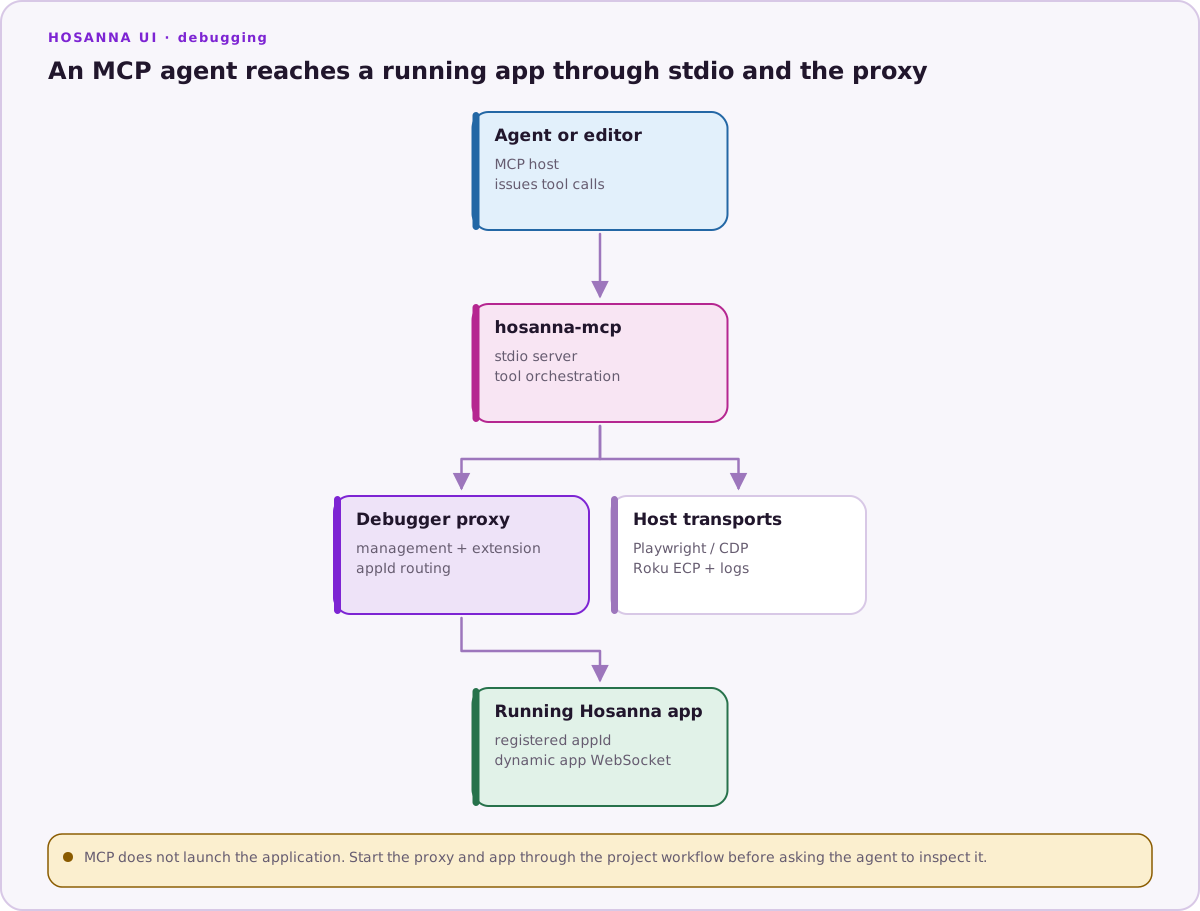
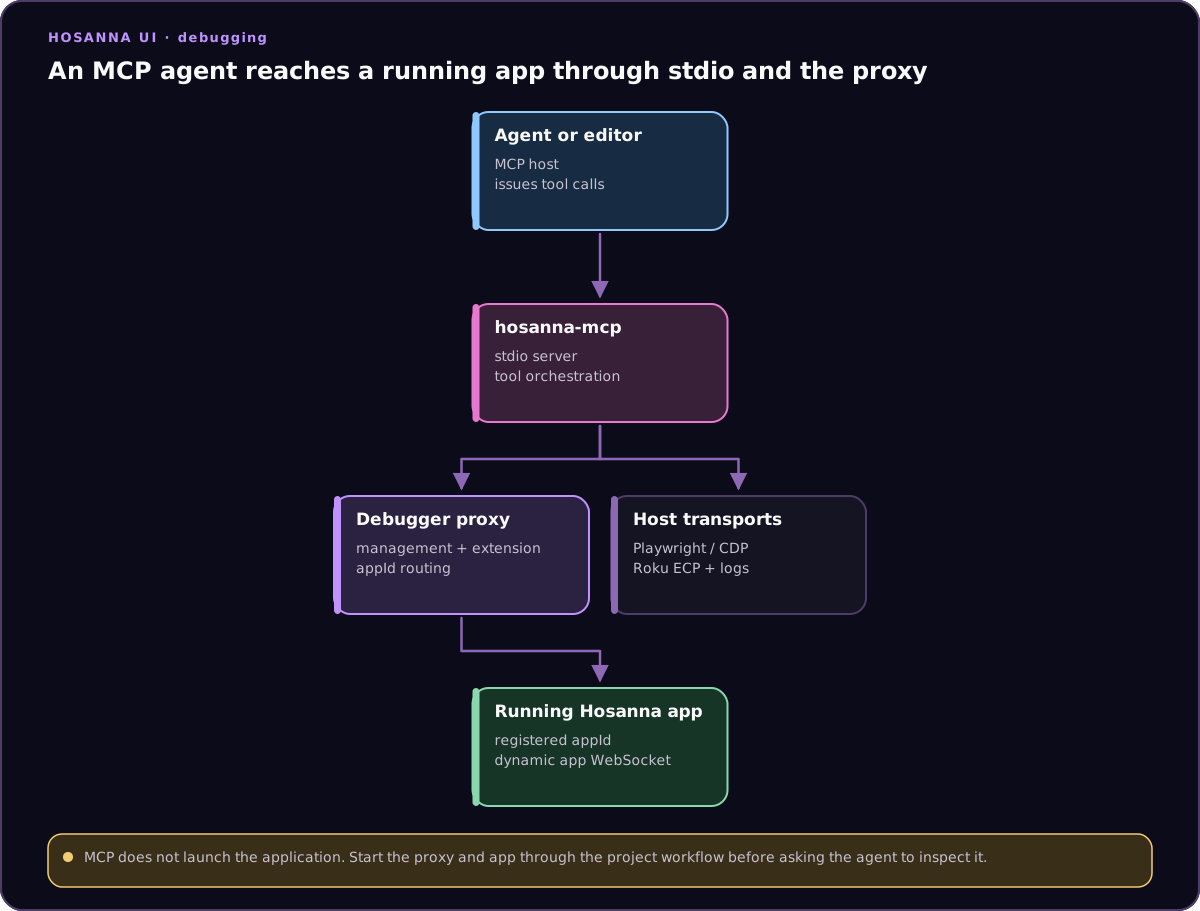
The MCP process uses the proxy for app discovery and runtime commands. Browser and Roku actions that belong to the host use their own transports.
The MCP server does not launch the app by itself. The application must have remote debugging enabled and register with the same proxy instance. DevTools and MCP can connect at the same time.
Start a Browser Session
In the application repository, ensure the selected build-config environment/profile enables:
{
  "remoteDebug": {
    "isEnabled": true,
    "isStartServerByDefault": true,
    "host": "localhost",
    "webAppServerPort": 59151,
    "deviceAppServerPort": 59152
  },
  "mcp": {
    "isEnabled": true
  }
}
Start the proxy and app:
npx hst debugger:start
npx hst run browser dev emulator
If the project keeps debugging in an explicit profile:
npx hst run browser dev emulator --profile local-debug
Start MCP from the agent host:
HOSANNA_MCP_ENABLED=true npx hst mcp:start
HOSANNA_MCP_ENABLED=true enables the standalone MCP process explicitly. App-side mcp.isEnabled and remoteDebug.isEnabled still come from the application's resolved build config.
Start a Device Session
Use a build environment or profile that enables device remote debugging, then run the selected target:
npx hst debugger:start
npx hst run roku debug device --device "<name-or-ip>"
npx hst run tizen debug device --device "<samsung-alias>" \
  --signing-profile samsung-tv-dev
npx hst run webos debug device --device "<lg-alias>"
HOSANNA_MCP_ENABLED=true npx hst mcp:start
The proxy host advertised to a physical device must be a development-machine
LAN address reachable from that device, never TV-local localhost. Development
Tizen/webOS packaging allowlists that exact WebSocket origin; production
packages remove it. A cloud-hosted agent usually cannot reach a device on a
private LAN, so use a local agent for physical-device workflows.
The physical-TV test harness can relaunch without arguments by terminating and
launching through the selected DeviceDriver, then waiting for this MCP session
to reconnect. It can also change rigs through a query-only ReloadPage request
bounded to the current packaged file:// document. That second path is test
navigation, not a Samsung or LG launch deep link. Physical Tizen/webOS
screenshots are not exposed; use separate capture-card or macOS window/display
recording for video evidence.
MCP Command Configuration
When hosanna-mcp is available on PATH:
{
  "mcpServers": {
    "hosanna-debugger": {
      "command": "hosanna-mcp",
      "args": [],
      "env": {
        "HOSANNA_PROJECT_PATH": ".",
        "HOSANNA_MCP_ENABLED": "true"
      }
    }
  }
}
To resolve the binary through npm:
{
  "mcpServers": {
    "hosanna-debugger": {
      "command": "npx",
      "args": [
        "-y",
        "--package=@tantawowa/hosanna-tools",
        "hosanna-mcp"
      ],
      "env": {
        "HOSANNA_PROJECT_PATH": ".",
        "HOSANNA_MCP_ENABLED": "true"
      }
    }
  }
}
Restart or reload the editor after changing its MCP configuration.
Ports
hst mcp:start options:
| Option | Default | Purpose |
|---|---|---|
--managementPort | 59150 | Debug-proxy HTTP management port |
--managementHost | localhost | Debug-proxy host |
--extensionPort | 59153 | Proxy extension WebSocket port |
These values must match hst debugger:start. 59151 and 59152 are the
configurable web/device base or legacy endpoints. A registering app can receive
a different per-app WebSocket port through the management API.
Verify the Connection
Start every investigation with:
health()
get_state()
health reports proxy reachability, connected apps, app types, and the primary
runtime. Tizen and webOS retain appType: web and can include platformId and
platformOS metadata for host selection. get_state establishes the current
route, focus, and compact UI state before the agent sends input.
When multiple apps are connected, pass appId rather than relying on primary-runtime selection.
Environment Variables
| Variable | Purpose |
|---|---|
HOSANNA_PROJECT_PATH | Project root used for source, build, and registry tools |
HOSANNA_MCP_ENABLED | Explicit standalone MCP enable/disable override |
HOSANNA_MANAGEMENT_PORT | Debug-proxy management port |
HOSANNA_MANAGEMENT_HOST | Debug-proxy host |
HOSANNA_EXTENSION_PORT | Proxy extension WebSocket port |
HOSANNA_ROKU_DEVICE_IP / ROKU_DEVICE_IP | Optional Roku device auto-configuration |
HOSANNA_ROKU_DEV_PASSWORD / ROKU_DEV_PASSWORD | Optional Roku screenshot/installer credential |
Do not place device passwords in committed editor configuration. Inject them from the local environment or a secret manager.