Building For Android TV
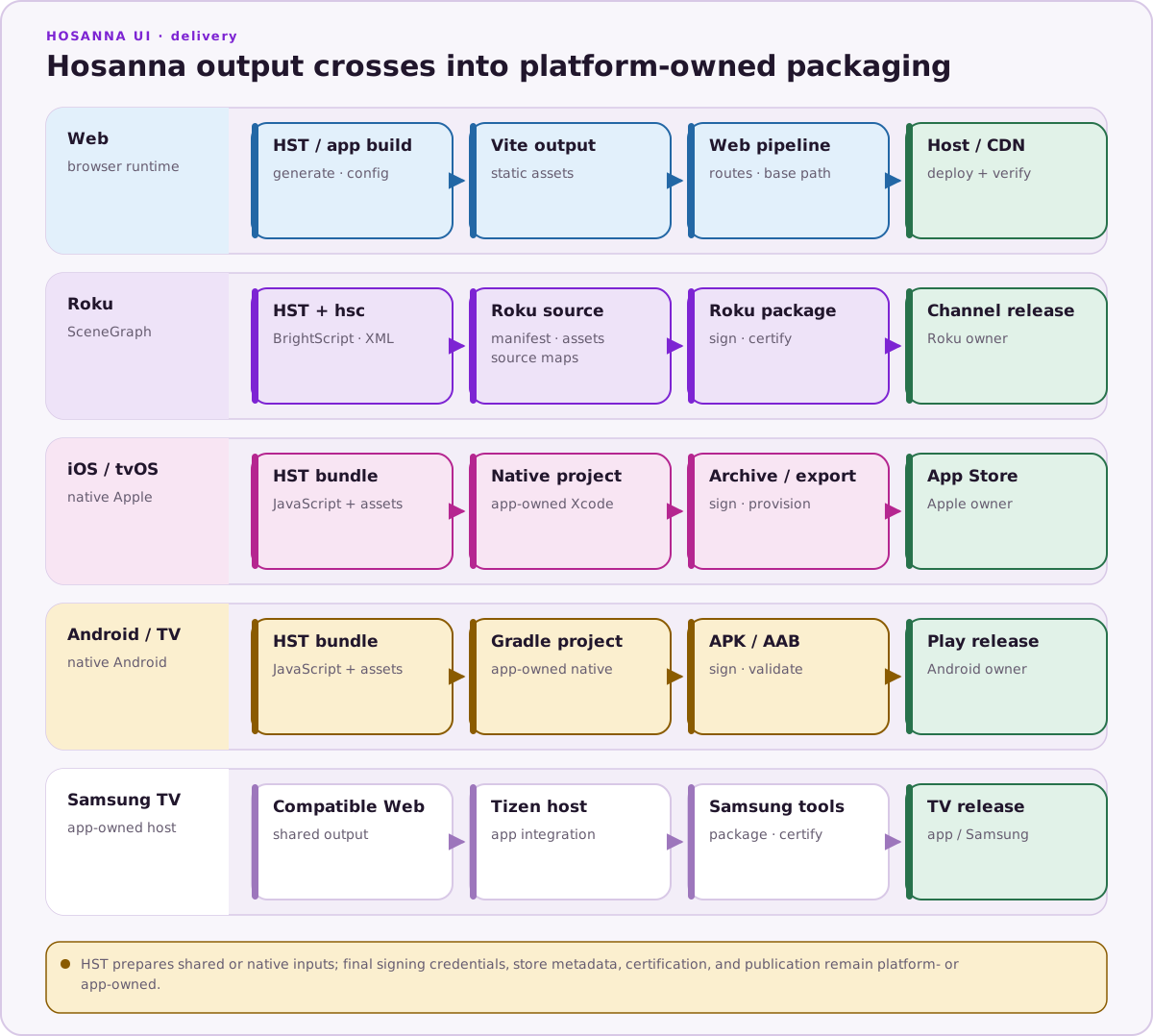
Use the Android TV target when you are ready to validate the shared Hosanna app on Android TV emulator or hardware. The target uses the shared view, AppConfig, fragment, input, and focus model while Android Studio handles device execution and packaging.
Prerequisites
- Android Studio with the Android SDK installed.
- An Android TV emulator image or physical Android TV device.
- Access to the licensed Hosanna framework sources and tooling for the project.
- The project dependencies installed from the lockfile with
npm ci.
Build And Run
Use hst run for current Android TV emulator and device work:
npx hst native:prepare android-tv
npx hst native:doctor android-tv
npx hst target:list --platform android-tv --target sim
npx hst run android-tv dev sim --device "Television_1080p"
npx hst target:list --platform android-tv --target device
npx hst run android-tv dev device --device "Living Room Android TV" --no-logs
Use --device to select an ADB serial such as emulator-5554, a physical Android TV device serial, or a configured emulator name. Commit common defaults in .hosanna-tools/run.json. HS_ANDROID_TV_AVD remains useful inside local wrapper scripts when no device is connected and a specific Android TV AVD should be started.
You can still open the Android project in Android Studio for native debugging, profiling, signing, capabilities, and release builds. Do not use Android Studio or VS Code launch targets as the default app launcher when an hst run path exists.
Legacy Capacitor Android TV scripts are deprecated for current development and should not be the default path.
Use --hot-reload for the native development-server path and --bundled when validating packaged JavaScript/assets. Do not call an Android Virtual Device emulator in the HST positional command: sim selects the vendor-native AVD, while browser/web/emulator select the browser runtime.
Static Assets
Android TV uses the same native staging root as Android phone/tablet: platforms/android/app/src/main/assets. Configure platforms/hsconfig-android-tv.json, share platforms/hsconfig-android.json, or pass --hsconfig for a content variant.
Keep Android TV assets TV-shaped, and use negative staticFiles entries for excludes. HST does not interpolate env values inside hsconfig files.
Debugging
- Use Browser for fast iteration before moving to Android TV.
- Use Android Studio Logcat and debugger for native logs, lifecycle issues, and packaging errors.
- Validate DPAD focus, Back behavior, text input, networking, media playback, lifecycle resume, and performance.
See Android TV and Native Development Android TV for more detail.