Building For iOS
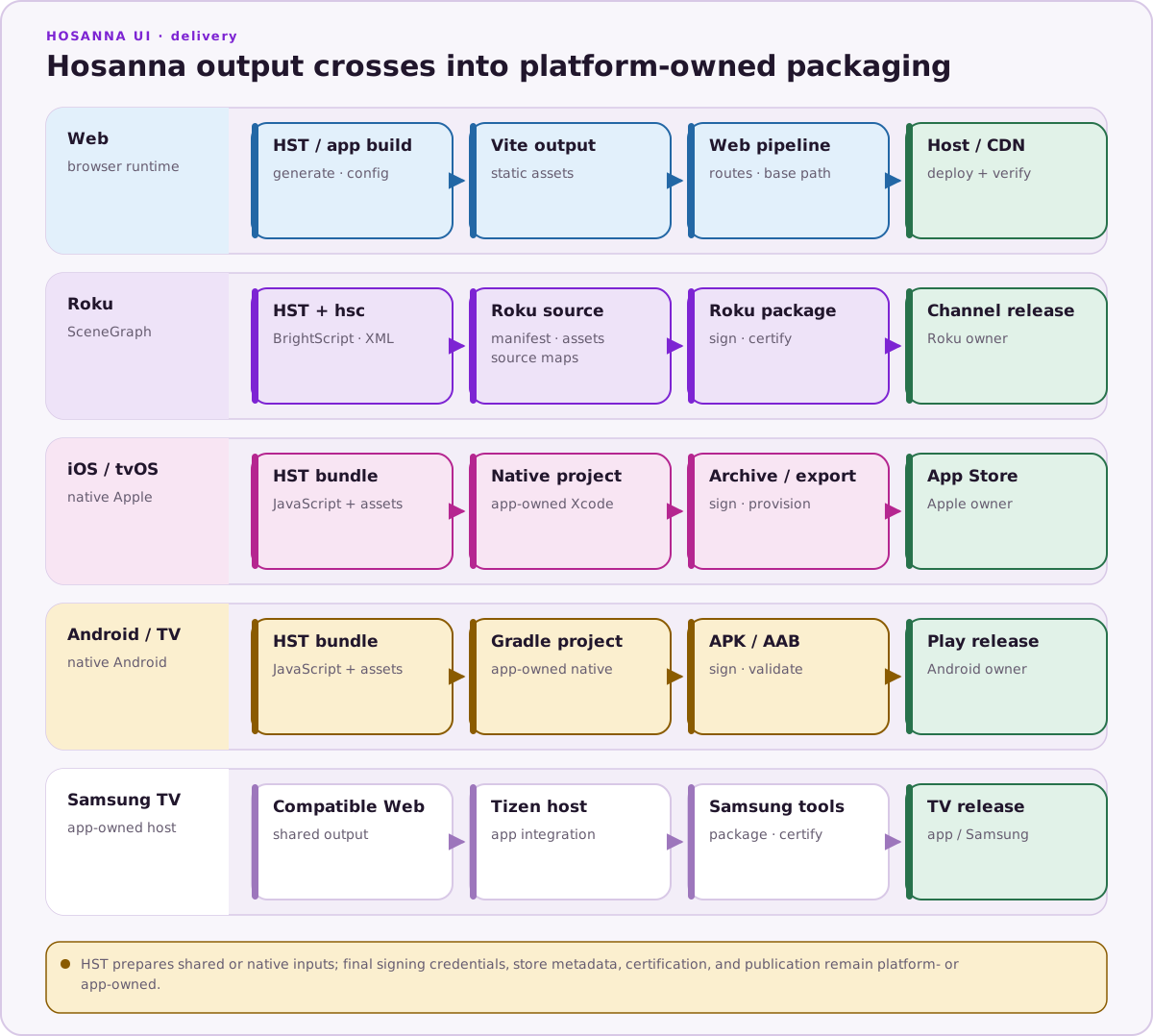
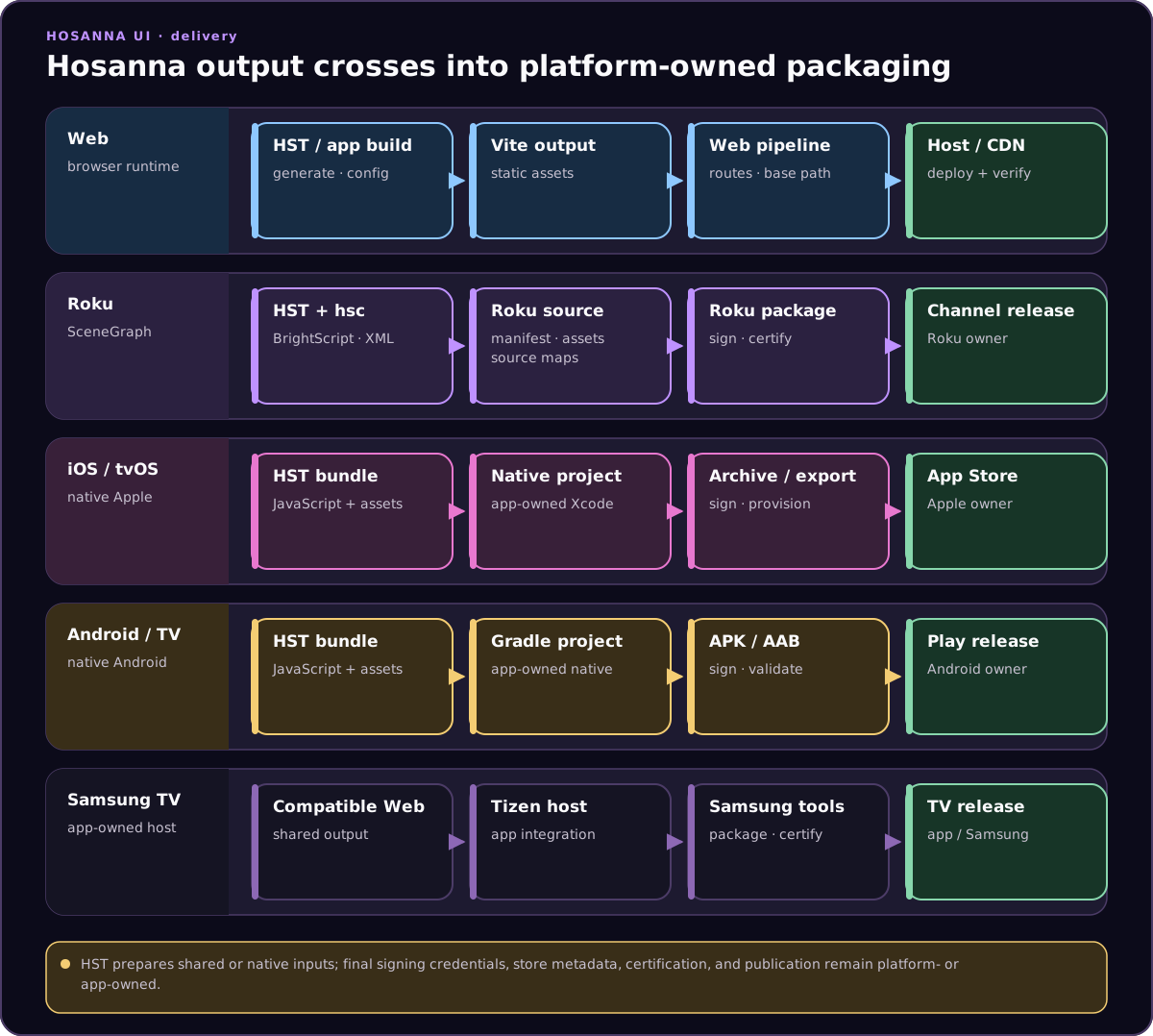
Use the iOS target when the shared Hosanna app needs to run on iPhone or iPad. The app can reuse shared TypeScript screens, AppConfig, fragments, networking, and business logic while iOS handles native packaging, signing, lifecycle, and device integration.
Prerequisites
- macOS with Xcode installed.
- iOS simulator or physical iPhone/iPad.
- Access to the licensed Hosanna framework sources and tooling for the project.
- Apple signing credentials, bundle identifiers, and provisioning profiles.
- The project dependencies installed from the lockfile with
npm ci.
Build And Run
Use hst run for current iOS simulator and device work:
npx hst native:prepare ios
npx hst native:doctor ios
npx hst target:list --platform ios --target sim
npx hst run ios dev sim --device "iPhone 17 Pro"
npx hst target:list --platform ios --target device
npx hst run ios dev device --device "My iPhone" --no-logs
Use --device to select a simulator name, simulator UDID, or real-device identifier from npx hst target:list, xcrun simctl list devices available, or xcrun devicectl list devices. Commit common defaults in .hosanna-tools/run.json so repeat runs do not depend on local shell history.
For real-device hot reload, point the phone at a Mac LAN URL it can reach:
HS_DEV_JS_URL=http://192.168.1.247:5179/hosanna-apple.js npx hst run ios dev device --device "My iPhone" --hot-reload
You can still open the native Apple project in Xcode for signing, capabilities, profiling, and release builds. Do not use Xcode or VS Code launch targets as the default app launcher when an hst run path exists.
Capacitor iOS scripts are legacy/deprecated for current development. Use them only when explicitly maintaining the old WebView shell.
Use --bundled for release-like JavaScript/assets. Use --hot-reload only when the simulator or device can reach the configured development-server URL.
Static Assets
For bundled iOS builds, HST stages hsconfig static files into platforms/apple/hosanna-apple/assets before the Xcode build. The JavaScript bundle and source map are copied separately.
{
  "rootDir": "..",
  "cwd": "..",
  "outDir": "platforms/apple/hosanna-apple/assets",
  "staticFiles": [
    { "src": "assets/meta", "dest": "meta" },
    { "src": "assets/images", "dest": "images" },
    { "src": "assets/fonts", "dest": "fonts" },
    { "src": "dist/apple/assets", "dest": "." }
  ]
}
Select variants with --hsconfig or a platform hsconfig in .hosanna-tools/run.json. Use negative staticFiles entries for excludes.
Debugging
- Use Browser for fast shared UI and data-flow iteration.
- Use Xcode for native logs, signing, lifecycle, memory, and device issues.
- Validate touch input, text input, safe areas, orientation, accessibility settings, networking, and app resume.
See iOS for platform-specific runtime notes.