Focus Management
Hosanna UI has one active focus owner at a time. Platform input adapters normalize remote, keyboard, debug, mouse, and touch input into framework input events, then FocusManager routes those events through the focused view and its parent chain.
Use declarative focus hints first. Override focus hooks only when a layout needs rules that cannot be expressed with isInitialFocus, nextFocusMap, or focused-child restoration.
Use isInitialFocus and nextFocusMap for most layouts. Use onInputEvent or onFindNextFocusable only when the view owns custom input or navigation behavior.
Core Concepts
FocusManager.setFocus(view)moves framework focus to a view.FocusManager.handleInputEvent(event)handles normalizedHsInputEventobjects from input adapters.BaseView.onInputEvent(event)receives non-direction keys and direction keys before focus resolution.BaseView.findNextFocusable(event)resolves a directional move.nextFocusMapmaps directions such asleft,right,up,down, anddefaultto a target id orNextViewFocustoken.requestFocusedChild(target, childId?)stores or applies a preferred child for composite views.
Input Events
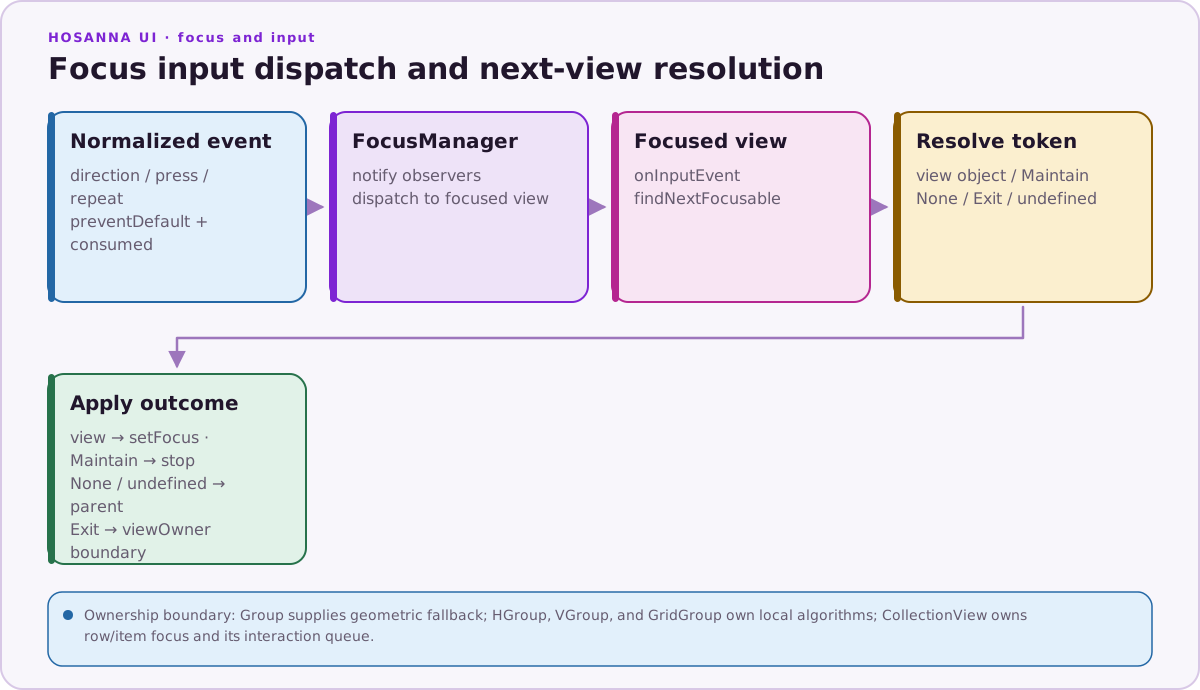
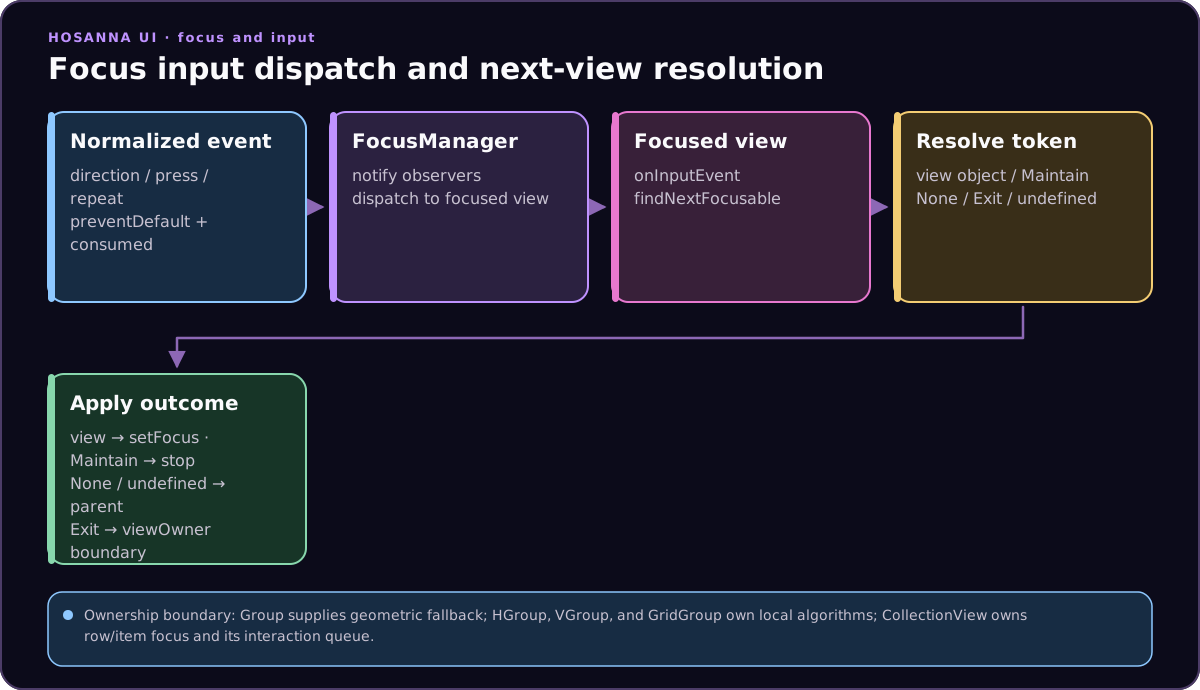
View handlers receive HsInputEvent, which includes the normalized key, key state, direction, source adapter, long-press metadata, and consumption flags.
import { Key } from '@hs-src/hosanna-bridge-core/api';
import {
  HsInputEventType,
  KeyState,
  type HsInputEvent,
} from '@hs-src/hosanna-ui/lib/input/input-api';

Button({ id: 'play', text: 'Play' })
  .onInputEvent((event: HsInputEvent) => {
    if (
      event.type === HsInputEventType.Key &&
      event.key === Key.Ok &&
      event.keyState === KeyState.Press
    ) {
      this.play();
      event.preventDefault = true;
    }
  });
Set event.preventDefault = true when the view handled the event and focus
resolution should stop. consumed is event metadata; FocusManager tests
preventDefault when it walks the focused view's parent chain.
Declarative Focus Maps
Use nextFocusMap to steer directional navigation. Map a direction to a sibling view id, or use a NextViewFocus token.
VGroup([
  Button({ id: 'ok', text: 'OK' }).isInitialFocus(true),
  Button({ id: 'cancel', text: 'Cancel' }),
])
  .nextFocusMap({
    left: 'cancel',
    right: 'ok',
    default: NextViewFocus.Maintain,
  });
NextViewFocus.Maintain stops the move. NextViewFocus.Exit skips the current
view-owner boundary. NextViewFocus.None continues resolution at the parent.
String targets are resolved through the current view owner, so IDs must be
unique within that owner's subtree.
Focused Children
Composite views can remember or request which direct child should receive focus.
import { ChildFocusTarget } from '@hs-src/hosanna-ui/views/lib/view-api';

this.requestFocusedChild(ChildFocusTarget.First);
this.requestFocusedChild(ChildFocusTarget.Last);
this.requestFocusedChild(ChildFocusTarget.Default);
this.requestFocusedChild(ChildFocusTarget.Specific, 'detailsButton');
If the composite is already in the focus chain, Hosanna moves focus immediately. Otherwise it stores focusedChildId and uses it the next time focus cascades into the view.
setFocusedSubview(id) is still available inside BaseView subclasses as a concise helper for ChildFocusTarget.Specific.
Custom Resolution
Use onFindNextFocusable for layouts that need runtime decisions.
GridGroup(cells)
  .id('grid')
  .columns(3)
  .onFindNextFocusable(event => {
    if (event.direction === Direction.Up && this.isOnFirstRow()) {
      return this.getSubView('toolbar');
    }

    return undefined;
  })
  .nextFocusMap({
    default: NextViewFocus.Maintain,
  });
Return a focusable view, a NextViewFocus token, or undefined to let parent
views continue resolving. There is no general spatial-geometry fallback: groups
and controls implement their own directional rules, and otherwise resolution
depends on handlers, maps, and parent bubbling.
View Hooks
onFocus(event): called when a view enters focus; setevent.nextFocusIdto guide child focus.onBlur(): called when a view leaves focus.onInputEvent(event): handles normalized input events.onFocusedChildChange(event): observes focus movement inside a composite view.onFindNextFocusable(event): chooses the next focus target for directional movement.onRestoreFocus(event): customizes restoration when a composite receives focus again.
ScrollViewFocusRig
Source: hosanna-ui-samples-public/src/hosanna-ui-examples/rigs/focus/ScrollViewFocusRig.ts@view('ScrollViewFocusRig')
export class ScrollViewFocusRigView extends BaseExampleScreenView<ScrollViewFocusRigState> {
protected override getViews(): ViewStruct<ViewState>[] {
return [
ScrollView([
Button({
id: 'scroll-to-top',
text: 'Top Button'
})
.isInitialFocus()
.nextFocusMap({
down: 'scroll-to-bottom'
}),
Button({
id: 'scroll-to-bottom',
text: 'Bottom Button',
})
.translation([0, 100])
.nextFocusMap({
up: 'scroll-to-top'
}),
])
.id('scroll-view')
.translation([300, 300])
.nextFocusMap({
right: 'right-button'
}),
Button({
id: 'right-button',
text: 'Right Button'
})
.translation([1000, 360])
.nextFocusMap({
left: 'scroll-view',
})
];
}
}Use the API reference for exact type signatures: FocusManager, IFocusManager, HsInputEvent, ViewFocusMap, NextViewFocus, and ChildFocusTarget.