Animations
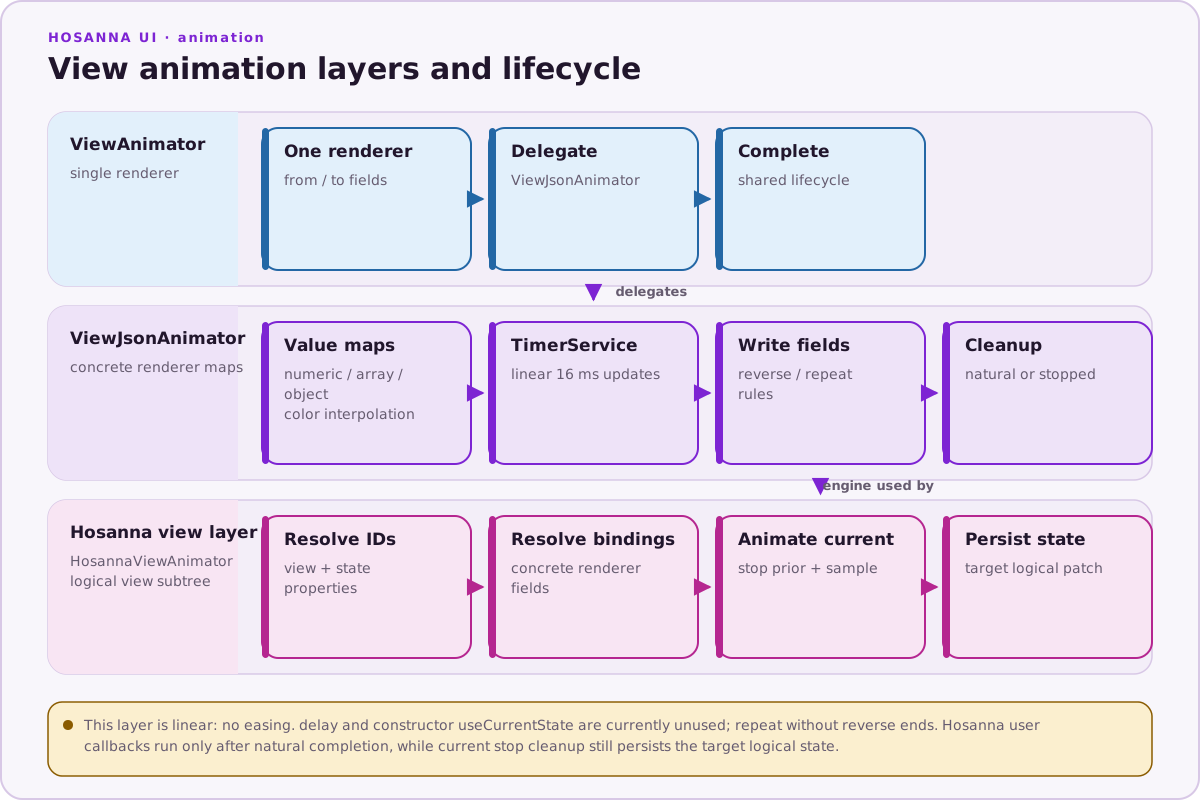
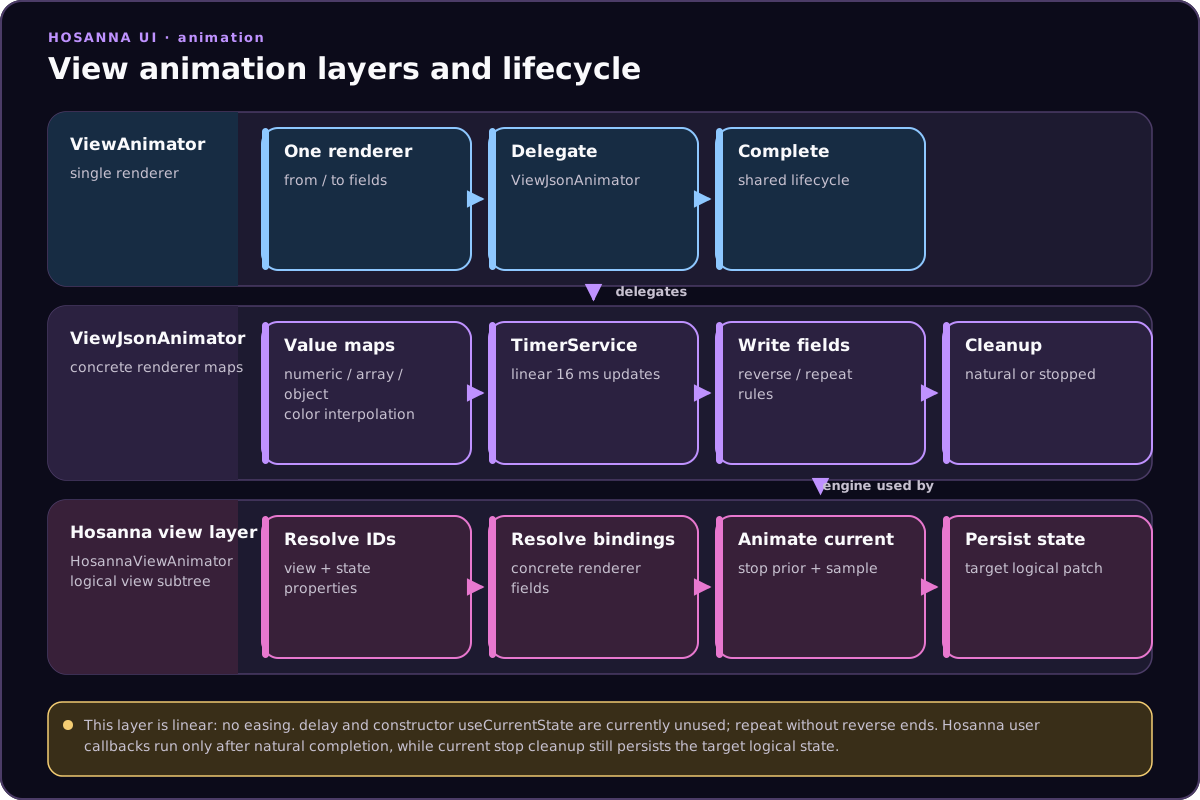
Hosanna UI offers three complementary animation layers. Start simple, then move up as you need more power.
Aggregate View Transitions
- Screen-level transitions for
NavController:Simple,Fade, andSlide. - Configured via
app.config.jsonkeys; optionally override per call. - Best for push/pop navigation while preserving aggregate-view lifecycle.
TabController changes the active tab directly; it does not run an aggregate
transition for tab selection.
See: Aggregate View Transitions
ViewJsonAnimator (low-level)
- Fast renderer-field tweening using JSON maps (many nodes at once).
- Ideal for simple property animations where you control precise fields.
- Pair with
ViewAnimatorfor a single renderer.
See: ViewJsonAnimator
HosannaViewAnimator (high-level)
- State-driven animations across a view subtree using logical state keys.
- Automatically maps logical fields to renderer updates and persists final state.
- Best for orchestrated UI effects spanning multiple views.
See: HosannaViewAnimator
HosannaViewAnimationRig
Source: hosanna-ui-samples-public/src/hosanna-ui-examples/rigs/animation/HosannaViewAnimationRig.ts@view('HosannaViewAnimationRig')
export class HosannaViewAnimationRigView extends BaseExampleScreenView<HosannaViewAnimationRigState> {
protected override getViews(): ViewStruct<ViewState>[] {
const controlRow = HGroup([
Label({
id: 'title',
text: 'HosannaViewAnimator: Animate 20 Buttons',
}),
Spacer({ width: 30 }),
Button({ id: 'hideAll', text: 'Hide All', width: 180, height: 48 })
.onClick(this.onHideAll.bind(this)),
Button({ id: 'showAll', text: 'Show All', width: 180, height: 48 })
.onClick(this.onShowAll.bind(this)),
Button({ id: 'cycleColors', text: 'Cycle Colors', width: 180, height: 48 })
.onClick(this.onCycleColors.bind(this)),
]).itemSpacing(18).vertAlignment(SGVerticalAlignment.Center);
const buttons: ViewStruct<ViewState>[] = [];
for (let i = 1; i <= 20; i++) {
buttons.push(
Button({
id: `btn${i}`,
text: `Button ${i}`,
width: 260,
height: 60,
})
);
}
const grid = GridGroup(buttons).columns(4).itemSpacing(18);
return [
VGroup([
controlRow,
Spacer({ height: 30 }),
grid,
])
.translation([60, 60])
.itemSpacing(24),
];
}
private onHideAll(_event: ButtonEvent) {
const anims: Record<string, Partial<ViewState>> = {};
for (let i = 1; i <= 20; i++) {
anims[`btn${i}`] = {
labelOpacity: 0.0,
backgroundColor: '#696969',
} as unknown as Partial<ViewState>;
}
this.animateViews(anims, 400);
}
private onShowAll(_event: ButtonEvent) {
const anims: Record<string, Partial<ViewState>> = {};
for (let i = 1; i <= 20; i++) {
anims[`btn${i}`] = {
labelOpacity: 1.0,
backgroundColor: '#ff0000',
} as unknown as Partial<ViewState>;
}
this.animateViews(anims, 400);
}
private onCycleColors(_event: ButtonEvent) {
const colors = ['#ff0000', '#00ff00', '#0000ff', '#ffff00', '#ff00ff'];
const anims: Record<string, Partial<ViewState>> = {};
for (let i = 1; i <= 20; i++) {
const colorIndex = (i - 1) % colors.length;
anims[`btn${i}`] = {
backgroundColor: colors[colorIndex],
} as unknown as Partial<ViewState>;
}
// Example: Using onCompleted callback to log when animation finishes
this.animateViews(anims, 600, () => {
console.info('[HosannaViewAnimationRig] Color cycle animation completed!');
});
}
}