Navigating Between Screens
Use NavController for a stack of screens and TabController for independent
top-level sections. Both DSL functions create ViewStruct descriptions; call
imperative methods on their mounted view instances, not on the structs.
Present and dismiss from a view
Most screens only need the BaseView convenience methods:
this.present(DetailsScreen({
  id: 'details',
  itemId,
}), {
  animated: true,
  transitionStyleKey: 'controls.NavController.transition.slide',
});
present() pushes into the nearest ancestor NavController. Its
INavigationPresentationOptions can enable or disable animation and override
the named transition for that presentation. From the active screen, pop it
with:
this.dismiss({ animated: true });
If the view is not part of the controller's active screen, dismiss() refuses
the operation. Dialog presentation uses the same helper with
{ isDialog: true }; see the Dialogs guide.
Create a navigation stack
protected override getViews() {
  return [
    NavController({
      id: 'mainNav',
      initialView: HomeScreen({ id: 'home' }),
    }).isInitialFocus(),
  ];
}
When the owner needs direct stack control, look up the mounted
NavControllerView:
private get mainNav(): NavControllerView | undefined {
  return this.getSubView<NavControllerView>('mainNav');
}

showDetails(itemId: string) {
  this.mainNav?.push(
    DetailsScreen({ id: 'details', itemId }),
    true,
  );
}
Do not call push() on NavController({...}); that value is only a
ViewStruct.
Stack operations
nav.push(nextView, true, transitionStyleKey);
nav.pop(true, transitionStyleKey);
nav.replace(replacementView, false, transitionStyleKey);
nav.reset(0, newRootView, false, transitionStyleKey);
push(view, animated = true, key?)adds a screen.pop(animated = true, key?)removes the current screen and returns it.replace(view?, animated = false, key?)swaps the current screen and returns the removed one.reset(endIndex = 0, newFirstScreen?, animated = false, key?)removes stack entries down to the requested boundary and optionally installs a new first screen. It returnsfalseif a transition is already running.
Navigation calls made during an active transition are ignored. Disable the trigger or otherwise prevent double dispatch when a user can press repeatedly.
onLastViewRemoved is useful for an embedded flow that should notify its owner
when its stack becomes empty.
Tabs with independent stacks
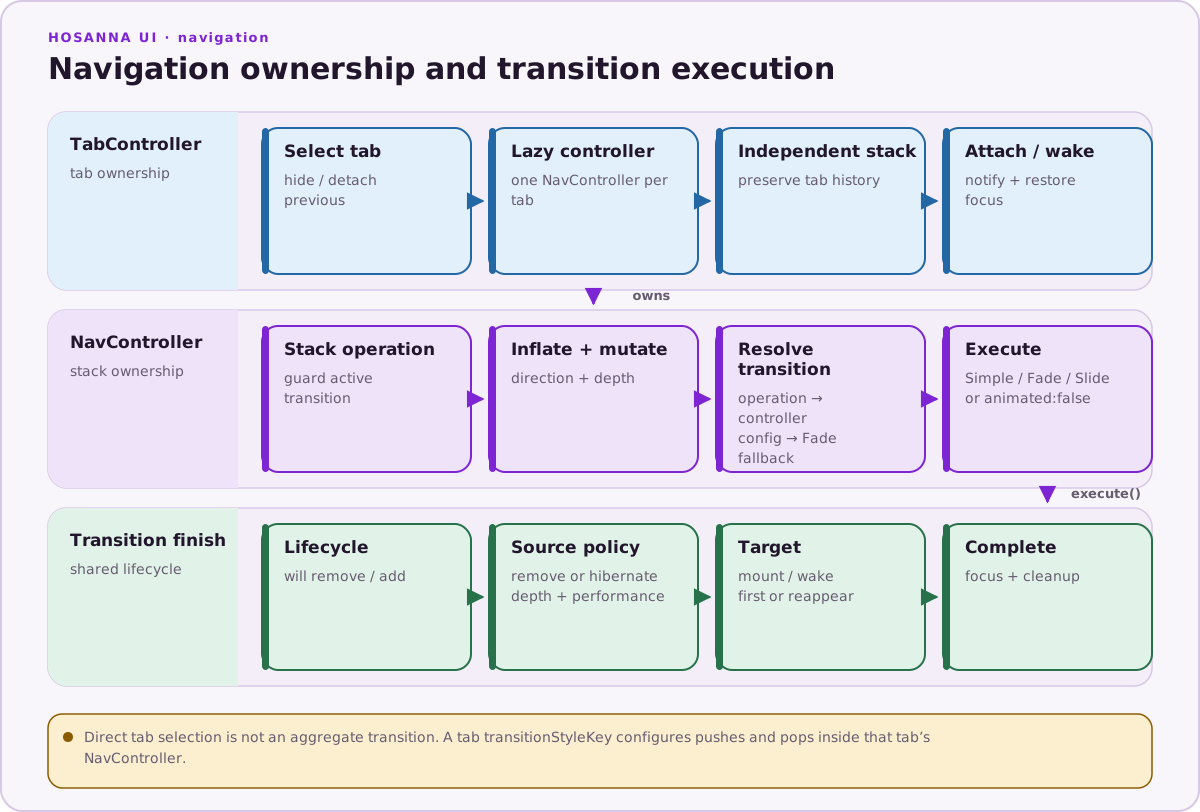
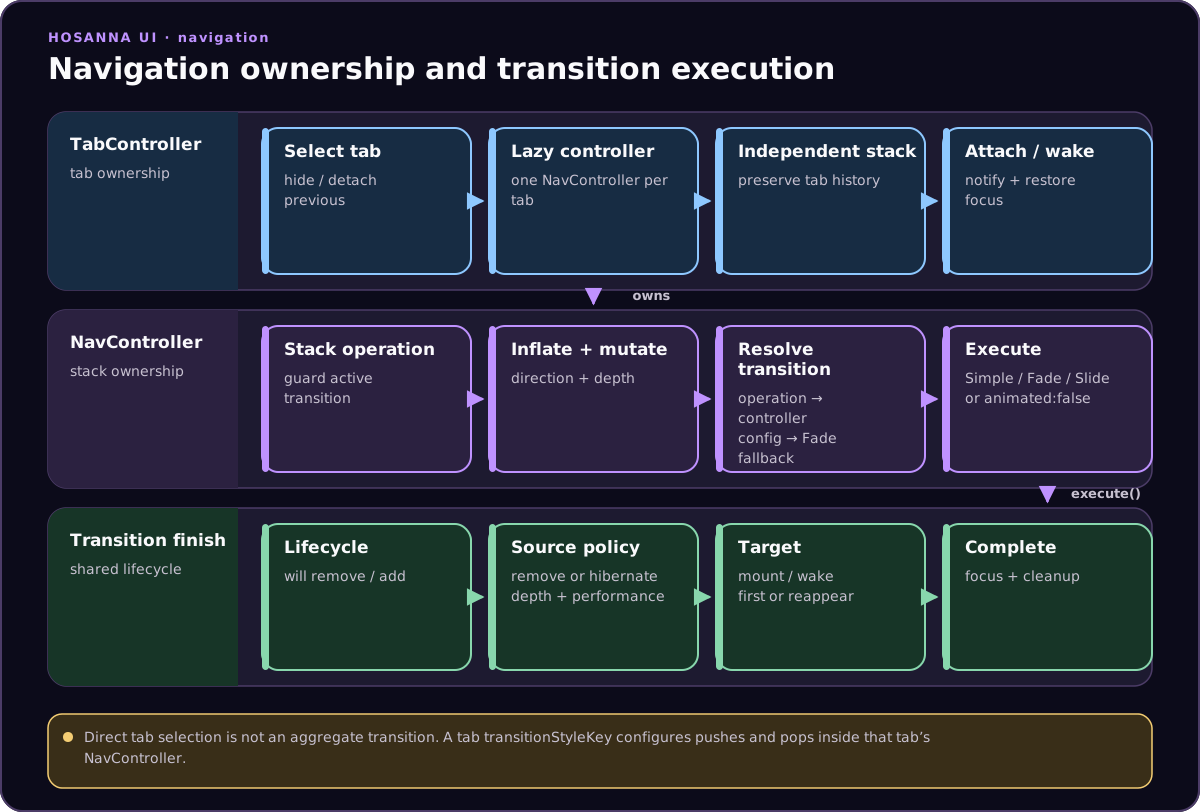
Every TabController tab lazily creates its own NavController, so returning
to a tab preserves that tab's stack:
const tabs: ITabControllerTab[] = [
  {
    id: 'home',
    title: 'Home',
    view: HomeScreen({ id: 'homeRoot' }),
  },
  {
    id: 'settings',
    title: 'Settings',
    view: SettingsScreen({ id: 'settingsRoot' }),
    transitionStyleKey: 'controls.NavController.transition.slide',
  },
];

TabController({
  id: 'mainTabs',
  tabs,
  selectedTab: this.selectedTabId,
})
  .onTabSelected((tabId, nav) => {
    this.selectedTabId = tabId;
    console.info('Active tab stack', nav?.numberOfViews);
  })
  .onTabHidden((tabId) => {
    console.info('Hidden tab', tabId);
  });
The mounted TabControllerView also exposes selectTab(id), addTab(tab),
and removeTab(id).
Tab selection itself is not animated. A tab's transitionStyleKey configures
navigation within that tab's child NavController.
Avoid hibernateViewsWhenChangingTabs for production at present; the source
marks the feature as implemented but still subject to rendering artifacts.