Architecture, Scenes, And Frame Loop
Hs2d games are built like Cocos2d games: a runtime ticks a game controller, the controller owns a scene stack, scenes own worlds and layers, and each frame separates game-state updates from rendering.
Detailed Pages
Use this page as the overview. The deeper runtime and scene lifecycle details live in:
Frame Ownership
GameRuntime owns the platform frame loop:
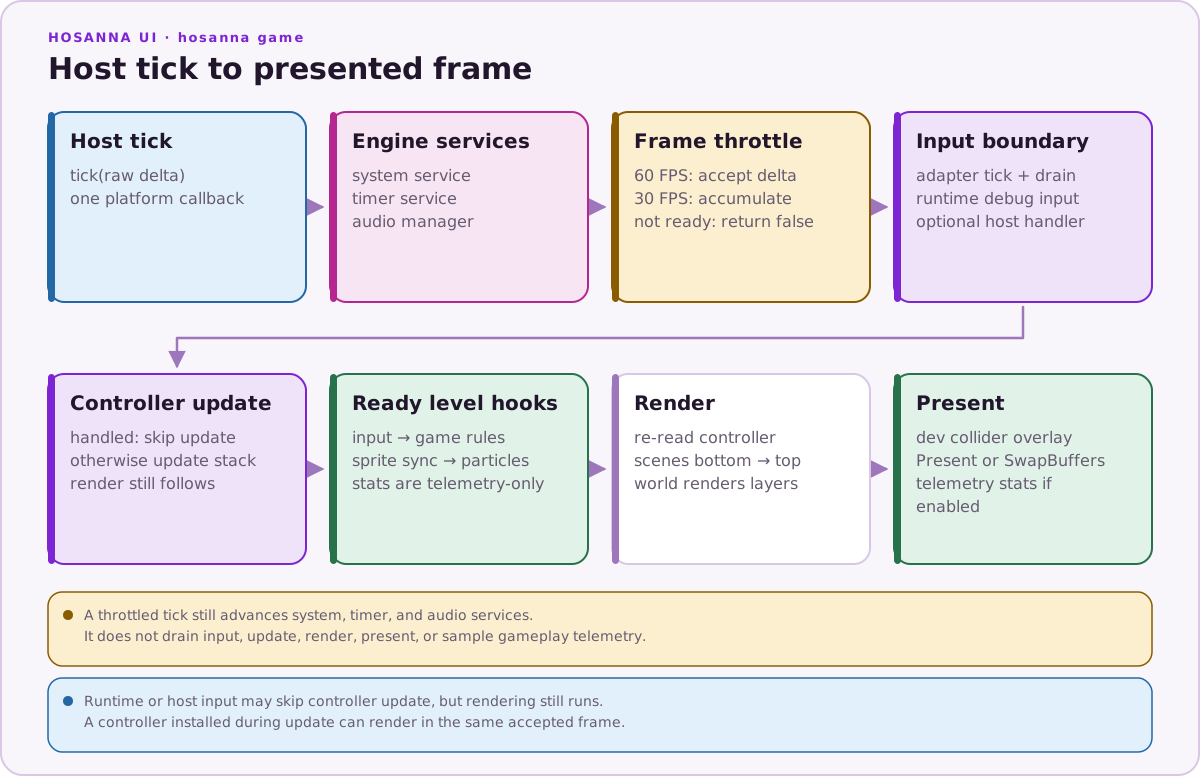
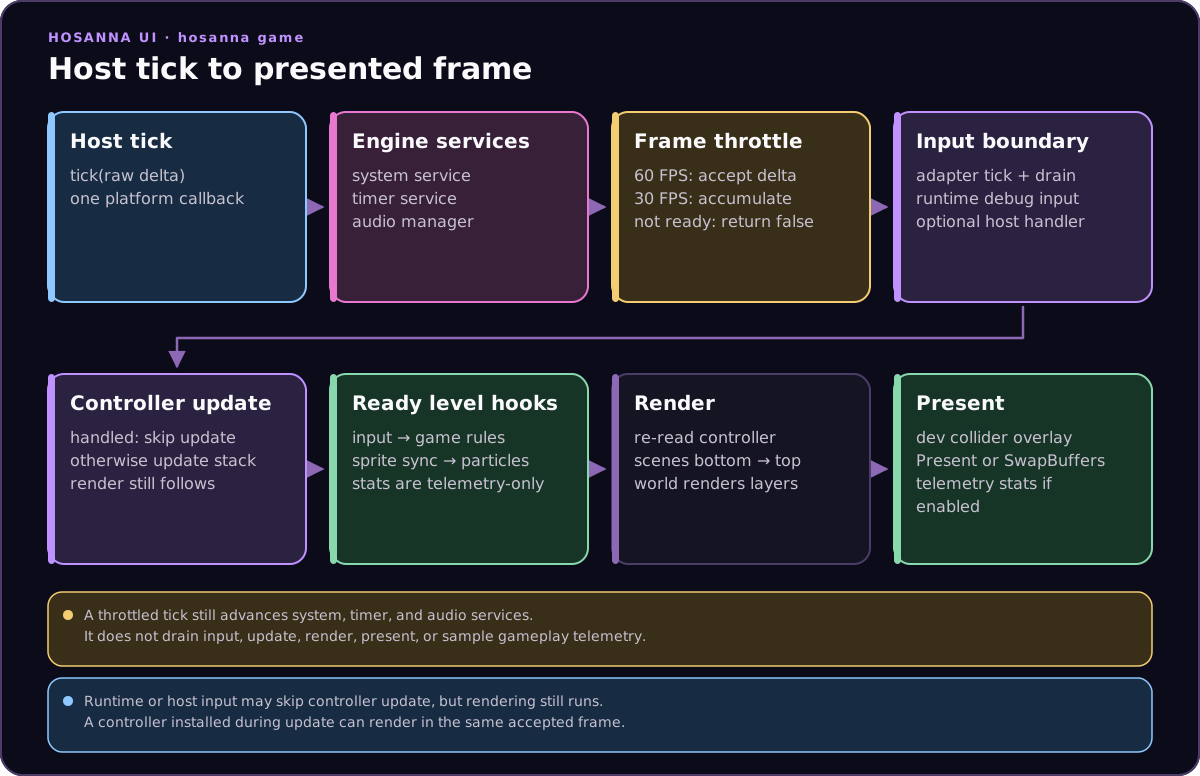
Service ticks receive the raw host delta even when the gameplay frame is throttled. A skipped gameplay frame therefore advances system, timer, and audio services but does not drain input, update or render the controller, present, or update telemetry.
Game code usually does not implement GameController directly. Use Hs2dGame unless you are deliberately integrating a headless model, a legacy controller, or a focused engine diagnostic.
Hs2dGame
Hs2dGame is the scene-stack controller. It supports:
replaceScene(scene)for menu-to-game transitions.pushScene(scene)for overlays such as pause or controller pairing.popScene()for returning to the scene underneath.getCurrentScene()for diagnostics and host integration.
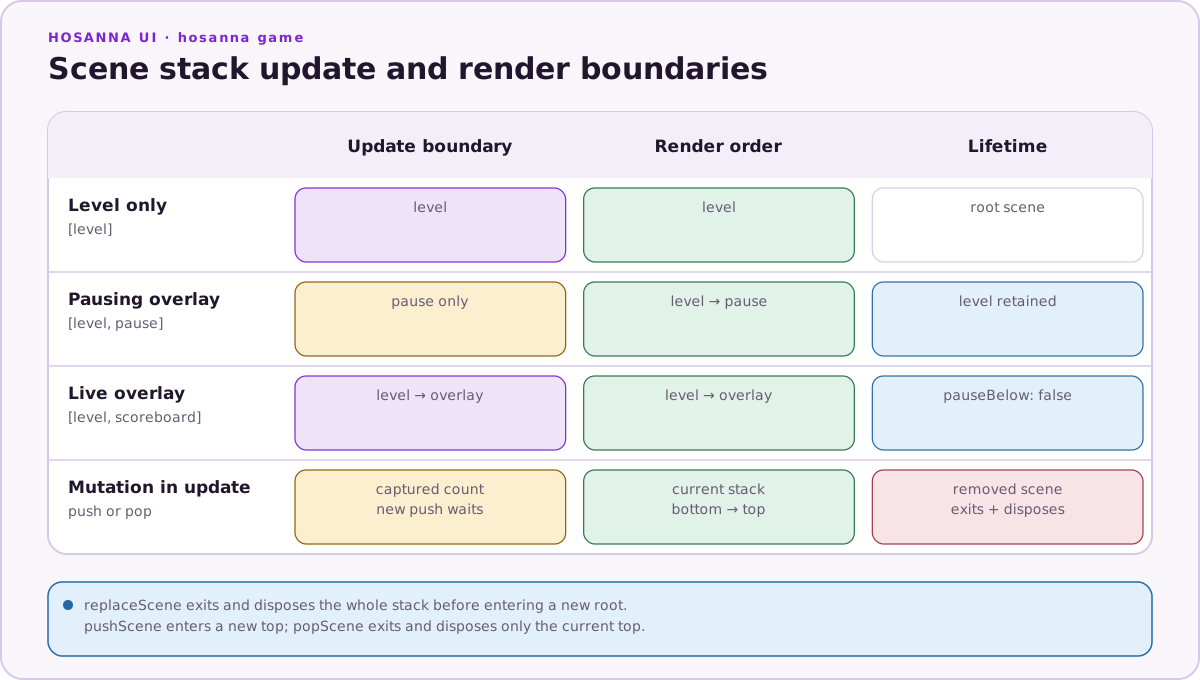
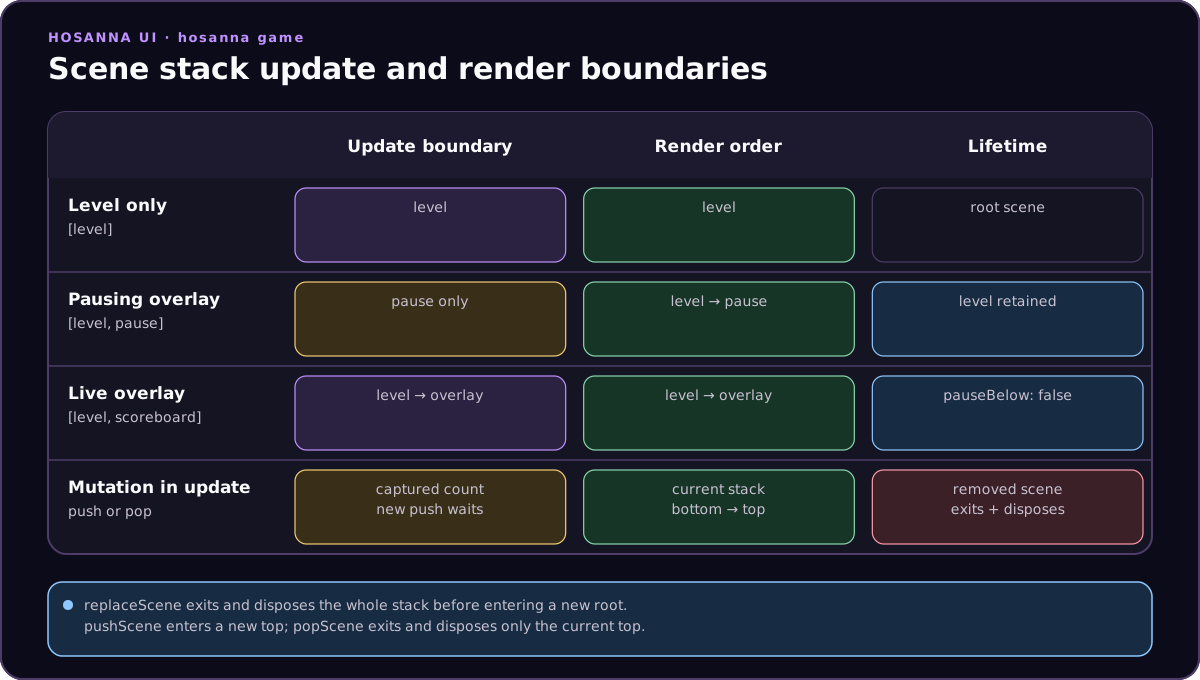
Scenes render from bottom to top. Updates start at the first scene above a pausing overlay, so a pause scene can freeze gameplay while the frozen world still renders behind it.
import { Hs2dGame } from '@hs-src/hosanna-game/hosanna2d/game';

export class MyGame extends Hs2dGame {
  constructor(context: MyGameContext) {
    super();
    this.replaceScene(new MyMenuScene(context));
  }
}
Scenes
Use these scene types:
| Type | Use |
|---|---|
Hs2dScene | Base scene for menus, diagnostics, and simple screens. Override update, render, onEnter, and onExit as needed. |
Hs2dOverlayScene | Overlay scene. Use pauseBelow: true for pause menus and pauseBelow: false for live overlays. |
Hs2dMenuScene / Hs2dSceneMenu | Menu helpers with cached button surfaces and focus handling. |
Hs2dLevelScene | Canonical gameplay base class for level/world games. |
Hs2dLevelScene
New gameplay scenes should extend Hs2dLevelScene. It provides an asset readiness gate, loading state, HUD text renderer hookup, telemetry helpers, and a fixed frame template.
When the world is not ready, the level scene runs:
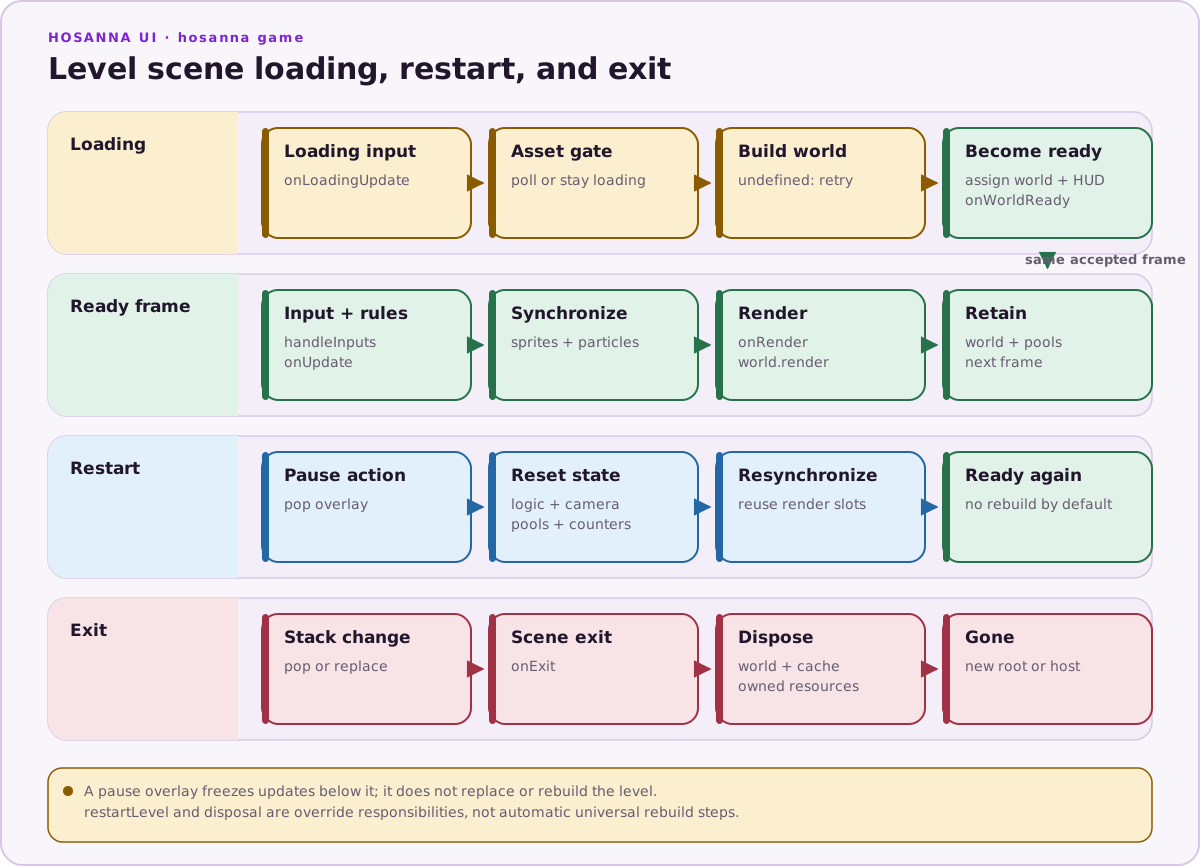
After the ready transition, the accepted-frame hook order is shown in the frame ownership diagram.
Override these hooks:
| Hook | Purpose |
|---|---|
buildWorld() | Build the Hs2dWorld once after all gated assets are ready. |
onWorldReady(world) | Cache layer references and start world-dependent systems. |
handleInputs(inputs) | Handle pause, back, restart, movement, and debug toggles. Return true to consume the update frame. |
onUpdate(deltaMs, inputs) | Run game rules and simulation. |
tickSceneCamera(deltaMs, scale?) | Tick the single scene camera once per frame. |
updateSceneSprites() | Sync logical state to sprite pools, text pools, particles, and layer visibility. |
drawHud(screen) | Draw HUD content through the HUD layer. |
restartLevel() | Provide restart behavior for pause menus and debug tools. |
Canonical Level Shape
For a complete copyable starter scene with imports, Hs2dLevelManager, Hs2dAssetGate, GameBitmapCache, world build, and disposal, use Building A New Game. The lifecycle shape is:
export class MyLevelScene extends Hs2dLevelScene {
  protected override buildWorld(): Hs2dWorld | undefined {
    if (!this.tryInitializeAssets()) return undefined;
    if (!this.assetGate.poll()) return undefined;
    return Hs2dWorldBuilder.fromLevel({
      level: this.loadedLevel,
      assets: this.assetGate,
      viewportWidth: this.screenWidth,
      viewportHeight: this.screenHeight,
      hud: this,
    }).world;
  }

  protected override handleInputs(inputs: GameInput[]): boolean {
    return this.handlePauseRestartAndMovement(inputs);
  }

  protected override onUpdate(deltaMs: number, inputs: GameInput[]): void {
    this.updatePlayer(deltaMs, inputs);
    this.tickSceneCamera(deltaMs);
  }

  protected override updateSceneSprites(): void {
    this.syncPlayerSprite();
    this.syncEnemySprites();
  }

  override drawHud(screen: GameScreen): void {
    this.drawCachedText(screen, 'score', this.scoreText, 32, 24, 0xffffffff, this.hudFont);
  }
}
Keep the simulation and render state separate. Game state belongs in fixed arrays, pools, and plain fields. Sprite layers receive synchronized positions, frames, visibility, and z-index during updateSceneSprites().