Worlds, Layers, And Camera
Hs2dWorld is the canonical container for gameplay rendering. It owns the camera, text renderer, renderer layers, world bounds, sprite pools, tile layers, particle layers, and HUD layers.
Layer Contract
GameSceneRenderer drives every layer with the same frame shape:
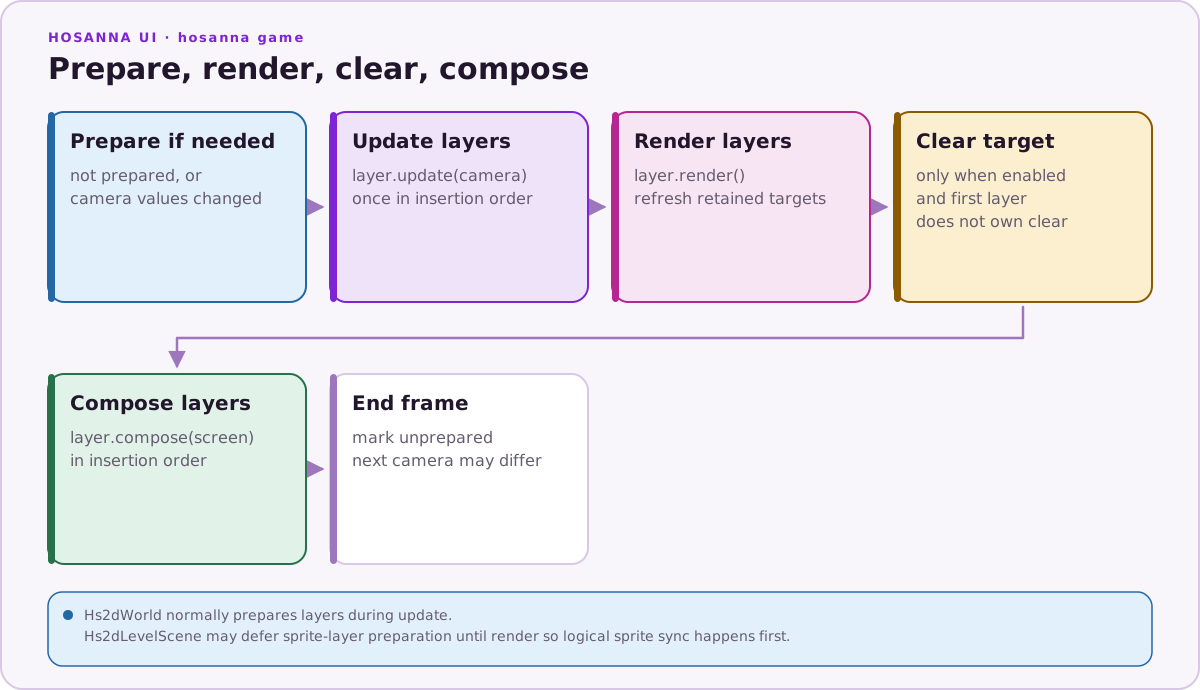
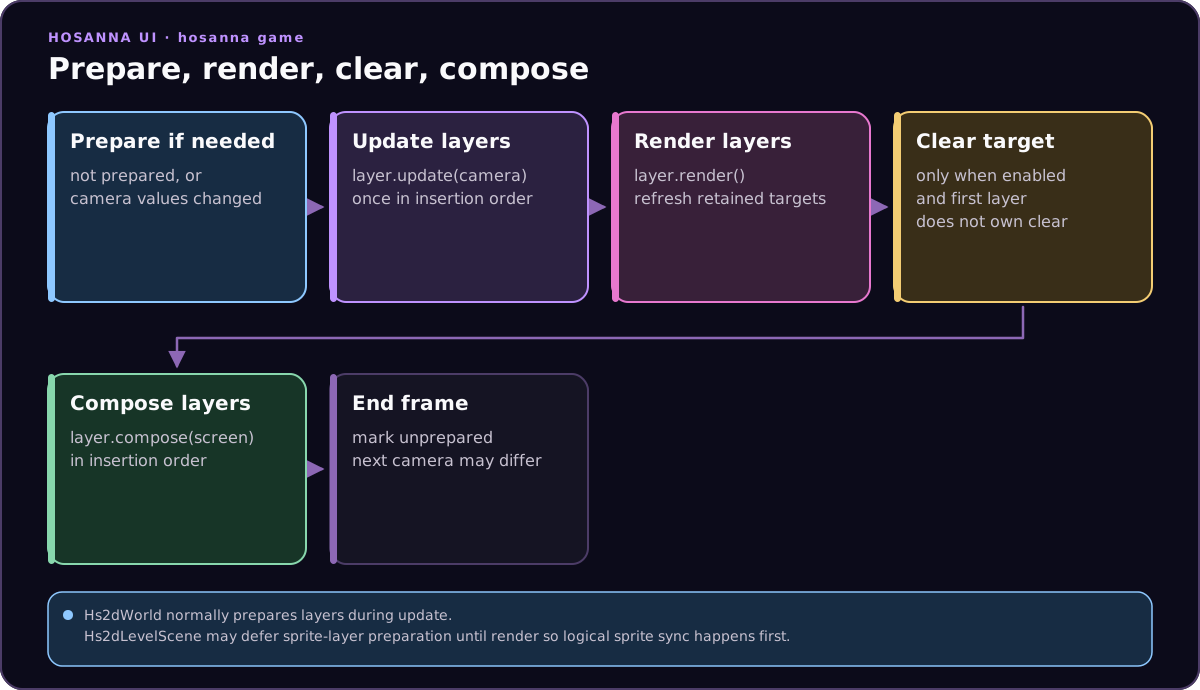
Hs2dWorld.update() prepares all renderer layers by default after it binds the frame camera. Hs2dLevelScene.tickSceneCamera() deliberately passes updateSpriteLayers: false, delaying that preparation until render because logical sprites are synchronized later in the scene update. A direct GameSceneRenderer user can omit explicit preparation because renderFrame() prepares lazily. If the camera changes after preparation, renderFrame() detects the change and prepares again before rendering.
Layers may render into cached compositor surfaces and then compose those surfaces to the screen. A first opaque layer such as a static tile layer or opaque ring layer can set ownsTargetClear, avoiding a redundant full-screen clear. Gameplay code should not draw large sprite or tile sets directly to the screen.
One Camera Rule
Each gameplay scene has one active camera for the world. Tick it once per frame:
protected override onUpdate(deltaMs: number, inputs: GameInput[]): void {
  this.updateSimulation(deltaMs, inputs);
  this.tickSceneCamera(deltaMs);
}
Layers read the camera in update(camera). They should not own their own gameplay camera or mutate the scene camera independently. If the world needs follow, auto-scroll, focus zoom, or bounds clamping, put that behavior in a camera controller and call it through the world or level-scene camera hook.
Hs2dWorldBuilder
Prefer Hs2dWorldBuilder.fromLevel for map-driven games. It reads a prepared Tiled level once at build time and creates:
- image layers as sky, direct parallax, or surface parallax layers
- tile layers as dynamic, static, or cached tile layers
- object layers as decor sprite groups, bound entity sprite groups, or data-only zones
- an optional HUD layer
The returned Hs2dBuiltWorld includes references to the world, tile layers, sprite layer, decor groups, entity groups, entity sprites, tile regions, and unbound entity types.
Layer Types
| Layer | Use |
|---|---|
| Sky layer | Screen-fit background and clear color. |
| Direct parallax layer | Efficient strip background with clipped blits and optional drift. Use for final strip art that does not need a cached surface. |
| Surface parallax layer | Parallax art rendered through a compositor surface. Use when the layer needs cached composition, repeat, or zoom constraints. |
| Parallax sprite group | Many decorative sprites virtualized over a sprite budget. Use for map-placed decor. |
Hs2dSpriteLayer | Pooled gameplay sprites, projectiles, actors, pickups, and map-bound entities. |
Hs2dDirectSpriteLayer | Stable actor slots projected and drawn directly without a compositor surface. |
| Dynamic sprite-pool tile layer | Visible-window tile sprites backed by a pool. Use for scrolling maps within the dynamic tile budget. |
| Dynamic ring-surface tile layer | One retained toroidal surface that repaints entering rows and columns. Manual-world option only. |
| Static tile layer | Whole-map cached surface. Use for small static maps within surface limits. |
| Cached chunk tile layer | Chunked cached surfaces. Use for large static tile maps where dynamic pools would exceed budget. |
Hs2dParticleLayer | Fixed-capacity particle sprites and emitters. |
| HUD layer | Screen-space HUD callback. |
Hs2dCachedSurfaceLayer | Custom cached world surface. Paint once or when dirty, then viewport-blit each frame. |
Hs2dCustomLayer | Last-resort layer escape hatch. Its compose callback must still obey the performance covenant. |
Choosing Tile Layers
Use hs2d:mode on Tiled tile layers, or pass tileLayerModes to the builder.
| Mode | Behavior |
|---|---|
auto | Chooses dynamic unless the worst-case pool exceeds the engine threshold, then switches to cached chunks. |
dynamic | Pooled visible tile sprites. Best for active scrolling tile maps within budget. The builder does not select ring-surface rendering. |
static | One cached surface for the whole layer. Best for small maps and non-scrolling boards. |
cached | Cached chunks. Best for large static worlds. |
Do not implement your own per-frame tile draw loop. If a built-in tile layer is not enough, add a reusable Hs2d layer type.
Manual worlds can request renderMode: 'ring-surface' with world.addTileLayer(...). That option is separate from the builder's auto | dynamic | static | cached mode selection.
Sprite Pools
Sprite layers and entity groups should be fixed capacity. Spawn or bind all persistent sprite objects at build time, then show, hide, move, and change frames at runtime.
Good runtime work:
- set
x,y,visible,frameId,zIndex - move unused sprites offscreen
- synchronize logical arrays into sprite arrays
- cull or amortize expensive visibility work
Bad runtime work:
- creating sprites every frame
- creating regions every frame
- scanning Tiled objects every frame
- drawing gameplay sprites directly to the screen
HUD Layers
World HUD is screen-space. Add it through world.addHud(this) or the builder hud option. A level scene implementing drawHud(screen) is the normal shape.
Use cached text for stable HUD labels. Direct text is acceptable for loading screens and diagnostics, but new gameplay HUDs should default to cached text.