Game And Scene Stack
Hs2dGame is the game controller most Hosanna games should use. It implements the runtime's GameController contract and owns a stack of Hs2dScene instances.
The stack is the game flow model:
- Menus and levels replace each other.
- Pause panels and modal tools push on top.
- Closing a modal pops back to the scene underneath.
- Rendering always draws bottom to top.
- Updating can start partway up the stack when an overlay pauses scenes below it.
Scene Stack Ownership
Hs2dGame exposes four stack operations:
| Method | Use |
|---|---|
replaceScene(scene) | Exit and dispose every current scene, then enter the new root scene. Use for title to level, level to game over, or quit to menu. |
pushScene(scene) | Enter a scene on top of the current stack. Use for pause, controller pairing, settings, and bounded diagnostics. |
popScene() | Exit and dispose the top scene, then return to the scene underneath. |
getCurrentScene() | Read the top scene for diagnostics, host integration, or debug snapshots. |
Hs2dGame owns the stack. Scenes may ask their game to transition, but scenes should not store or mutate the stack array directly.
Booting A Game
A game subclass usually installs its first scene in the constructor:
export class MyGame extends Hs2dGame {
  constructor(context: MyGameContext) {
    super();
    this.replaceScene(new MyTitleScene(context));
  }
}
This is the vertical shooter pattern: VerticalShooterGame replaces the empty stack with VerticalShooterMenuScene, and the menu later replaces itself with the gameplay level.
Scene Lifetime
Hs2dScene gives every scene a small lifecycle surface:
| Hook | Meaning |
|---|---|
onEnter(game) | Called when the scene is installed on the stack. The base implementation stores the owning game. |
onExit(game) | Called before the scene is removed from the stack. |
update(deltaMs, inputs) | Runs during the game update phase when the scene is not paused below another overlay. |
render(screen) | Runs every render phase for every scene in stack order. |
dispose() | Releases scene resources after exit. |
When overriding onEnter(), call super.onEnter(game) so this.game is available:
export class MyScene extends Hs2dScene {
  override onEnter(game: Hs2dGame): void {
    super.onEnter(game);
    this.startSceneMusic();
  }

  override onExit(game: Hs2dGame): void {
    void game;
    this.stopSceneLoops();
  }
}
Use dispose() for resources that must be released when the scene is gone. Do not wait for the runtime controller to be replaced; popScene() and replaceScene() already dispose scenes.
Update Order
Hs2dGame.update() chooses the first scene that should update, then walks upward to the top scene.
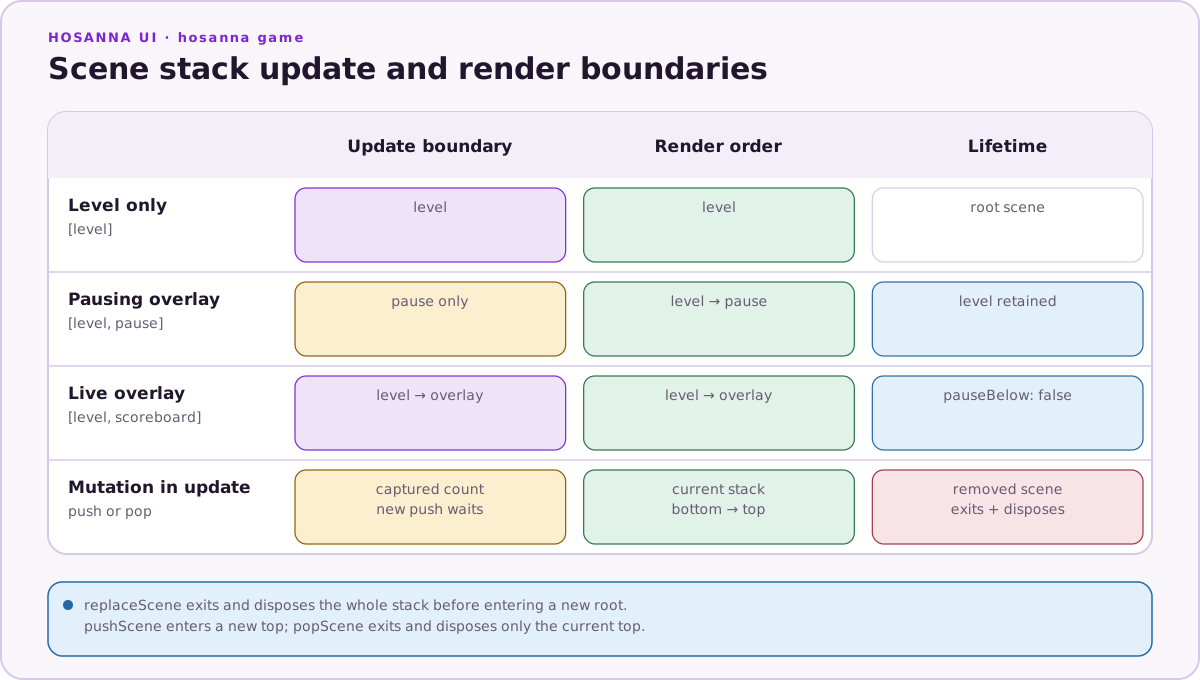
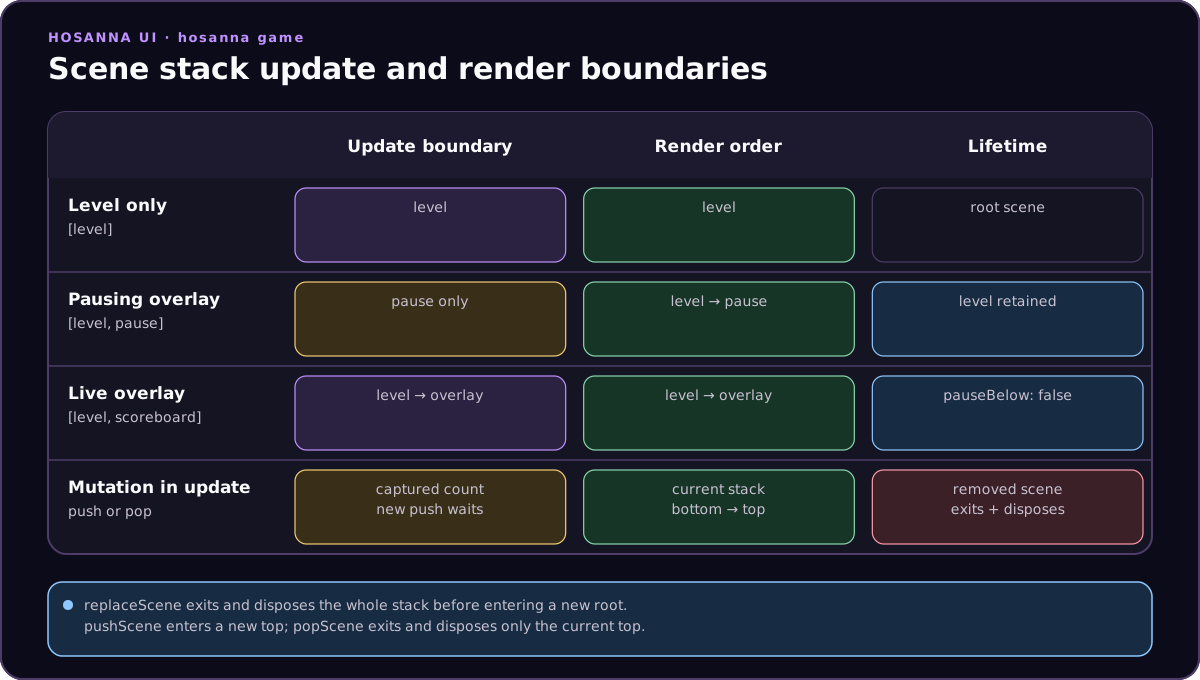
Hs2dOverlayScene defaults to pauseBelow: true. Pass pauseBelow: false only for overlays that should not freeze gameplay.
export class ScoreboardOverlayScene extends Hs2dOverlayScene {
  constructor() {
    super({ pauseBelow: false });
  }
}
Render Order
Render order is always bottom to top. A paused level still renders behind its pause overlay. That is why pause scenes should draw only their panel, dimmer, and menu elements; the world underneath remains visible without another copy or screenshot.
export class MyPauseScene extends Hs2dOverlayScene {
  constructor(private readonly options: MyPauseOptions) {
    super({ pauseBelow: true });
  }

  override render(screen: GameScreen): void {
    screen.DrawRect(0, 0, this.options.screenWidth, this.options.screenHeight, 0x00000088);
    this.options.menu.draw(screen);
  }
}
Keep pause rendering bounded. A pause scene should not redraw the world, own a second camera, or duplicate gameplay sprite state.
Stack Changes During Update
Hs2dGame.update() captures the scene count before it starts the update loop. A scene pushed during a frame does not receive the same frame's input.
This prevents a common pause bug: a Play press can push PauseScene in frame
N, but that new scene does not update until frame N+1, so the same press cannot
immediately close it.
If a scene pops itself during update, the update loop stops safely when it reaches the new stack length.
Menu To Level
Menus should use replaceScene() for full-screen transitions. The old menu exits and disposes, then the level enters as the new root scene.
export class MyTitleScene extends Hs2dMenuScene {
  constructor(private readonly context: MyGameContext) {
    super({
      menu: {
        x: 480,
        y: 320,
        items: [
          { id: 'start', text: 'Start' },
          { id: 'quit', text: 'Quit' },
        ],
      },
    });
  }

  protected override onMenuSelect(id: string): void {
    if (id === 'start' && this.game) {
      this.game.replaceScene(new MyLevelScene(this.context));
      return;
    }
    if (id === 'quit') {
      this.context.navigateToMenu();
    }
  }
}
Use a replacement when the old screen should no longer update, render, or consume memory.
Level To Pause
Gameplay levels should push pause overlays from input handling. Returning true consumes the level update frame, so gameplay does not advance on the frame that opened pause.
protected override handleInputs(inputs: GameInput[]): boolean {
  for (let i = 0; i < inputs.length; i++) {
    const input = inputs[i];
    if (input.release) continue;
    if (input.isButton('play')) {
      if (this.game) {
        this.game.pushScene(new MyPauseScene({
          screenWidth: this.screenWidth,
          screenHeight: this.screenHeight,
          audioManager: this.audioManager,
          onRestart: () => this.restartLevel(),
          onQuit: () => this.context.navigateToMenu(),
        }));
      }
      return true;
    }
  }
  return false;
}
This is the vertical shooter pattern. The level owns restart and quit behavior; the pause overlay owns menu input and presentation.
Pause Overlay
Pause overlays should extend Hs2dOverlayScene with pauseBelow: true. Use onEnter() and onExit() for pause-scoped side effects such as backgrounding audio.
export class MyPauseScene extends Hs2dOverlayScene {
  constructor(private readonly options: MyPauseOptions) {
    super({ pauseBelow: true });
  }

  override onEnter(game: Hs2dGame): void {
    super.onEnter(game);
    if (this.options.audioManager) {
      this.options.audioManager.setBackgrounded(true);
    }
  }

  override onExit(game: Hs2dGame): void {
    void game;
    if (this.options.audioManager) {
      this.options.audioManager.setBackgrounded(false);
    }
  }

  override update(deltaMs: number, inputs: GameInput[]): void {
    void deltaMs;
    for (let i = 0; i < inputs.length; i++) {
      const input = inputs[i];
      if (input.release) continue;
      if (input.isButton('play') || input.isButton('back')) {
        this.resume();
        return;
      }
      if (this.handleMenuInput(input)) {
        return;
      }
    }
  }

  private resume(): void {
    if (this.game) {
      this.game.popScene();
    }
  }
}
If a pause item opens controller pairing or state inspection, push that scene above the pause overlay. The level remains frozen under both overlays.
Current Scene Delegation
Hs2dGame delegates a few diagnostics and integration hooks to the top scene:
| Hook | Delegated behavior |
|---|---|
getHs2dDebugSnapshot() | Returns the current scene's Hs2d debug snapshot when supplied. |
shouldPlayDefaultMusic() | Lets the current scene opt out of default music. |
isCollisionDebugRenderingHandled() | Lets the current scene take responsibility for collision debug rendering. |
Use these sparingly. Ordinary game logic should stay in scene methods, not in host polling.
Do And Don't
Do:
- Use
replaceScene()for full-screen flow changes. - Use
pushScene()andpopScene()for pause, pairing, settings, and diagnostics. - Let pausing overlays freeze update while the world still renders underneath.
- Call
super.onEnter(game)before usingthis.game. - Keep overlay input bounded and deterministic.
Don't:
- Allocate a second game or runtime for menus and pause panels.
- Mutate the scene stack array outside
Hs2dGame. - Draw the gameplay world from an overlay.
- Use
pauseBelow: falsefor a pause menu. - Assume a newly pushed scene receives the same input frame that pushed it.
Source References
| Source | Scene stack facts to verify |
|---|---|
../games/hosanna-ui/src/hosanna-game/hosanna2d/game/Hs2dGame.ts | Stack operations, update start index, bottom-to-top render, push-during-update behavior, dispose behavior, current-scene delegation. |
../games/hosanna-ui/src/hosanna-game/hosanna2d/game/Hs2dScene.ts | Base scene lifecycle hooks and optional debug/music methods. |
../games/hosanna-ui/src/hosanna-game/hosanna2d/game/Hs2dOverlayScene.ts | Overlay pauseBelow option and default pausing behavior. |
../hosanna-ui-game-samples-public/src/hosanna-game-examples/native-shoot-em-up/VerticalShooterGame.ts | Game bootstrapping through replaceScene(new VerticalShooterMenuScene(...)). |
../hosanna-ui-game-samples-public/src/hosanna-game-examples/native-shoot-em-up/VerticalShooterMenuScene.ts | Menu-to-level replacement and quit flow. |
../hosanna-ui-game-samples-public/src/hosanna-game-examples/native-shoot-em-up/VerticalShooterPauseScene.ts | Pausing overlay, audio backgrounding, resume, restart, quit, and controller overlay pushes. |