Aggregate View Transitions
Transitions control how a NavController changes its current screen. Hosanna
provides three transition types:
Simple: switch immediately.Fade: fade to a color, swap the screen, then fade back.Slide: slide forward on push/replace and backward on pop/reset.
Configure named transitions
Put transition definitions under controls.NavController.transition:
{
  "controls": {
    "NavController": {
      "transition": {
        "default": {
          "transitionType": "Fade",
          "transitionOptions": {
            "duration": 300,
            "color": "#000000"
          }
        },
        "slide": {
          "transitionType": "Slide",
          "transitionOptions": {
            "duration": 280,
            "parallax": 0.3
          }
        },
        "none": {
          "transitionType": "Simple"
        }
      }
    }
  }
}
Fade options:
| Option | Default | Meaning |
|---|---|---|
color | #000000 | Overlay color. |
duration | 1000 | Total fade-in/out duration in milliseconds. |
Slide options:
| Option | Default | Meaning |
|---|---|---|
duration | 300 | Duration in milliseconds. |
parallax | 0.3 | Outgoing-view shift as a fraction of slide width. |
width | owner width, then 1920 | Optional explicit slide distance. |
Select a transition
Set a default on one controller:
NavController({
  id: 'mainNav',
  initialView: HomeScreen({ id: 'home' }),
  transitionStyleKey: 'controls.NavController.transition.slide',
})
Or override one operation on the mounted controller:
this.getSubView<NavControllerView>('mainNav')?.push(
  DetailsScreen({ id: 'details' }),
  true,
  'controls.NavController.transition.slide',
);
All primary stack operations accept the optional key:
push(view, animated = true, key?)
pop(animated = true, key?)
reset(endIndex = 0, newFirstScreen?, animated = false, key?)
replace(newView?, animated = false, key?)
The resolution order is:
- the per-operation key;
- the controller's
transitionStyleKey; controls.NavController.transition.default;- Hosanna's internal fade fallback if no configured transition can be built.
Passing animated: false still runs the transition lifecycle, but swaps views
without the visual animation.
Dialog presentation transitions
Dialogs are hosted in their own NavController. Pass the same named transition
style to showDialog() through its options object:
this.showDialog(dialog, {
  animated: true,
  transitionStyleKey: 'controls.NavController.transition.slide',
});
The per-presentation transitionStyleKey takes precedence over the dialog
controller's default. If it is omitted, Hosanna resolves
controls.NavController.transition.default, then its internal fade fallback.
Use { animated: false } when the dialog should appear without visual
animation while retaining the normal presentation lifecycle and focus lock.
present(dialog, { isDialog: true, animated, transitionStyleKey }) forwards
the same options to showDialog().
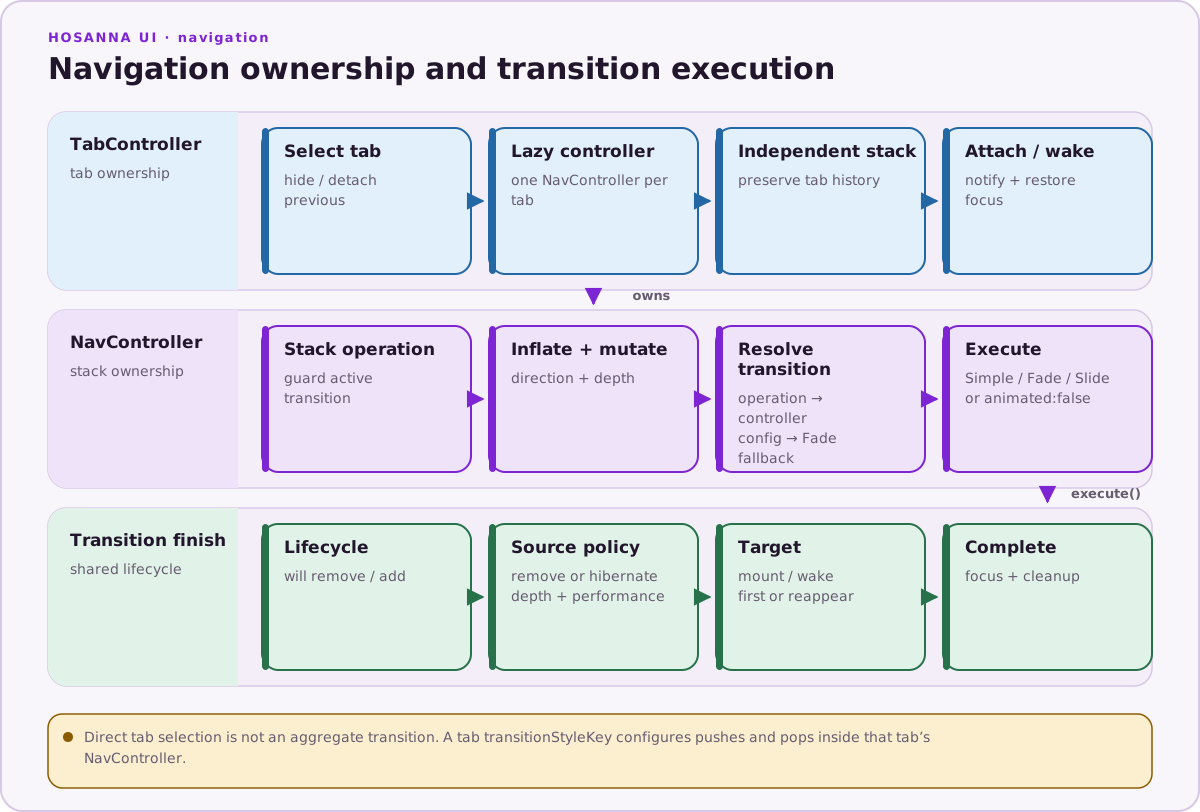
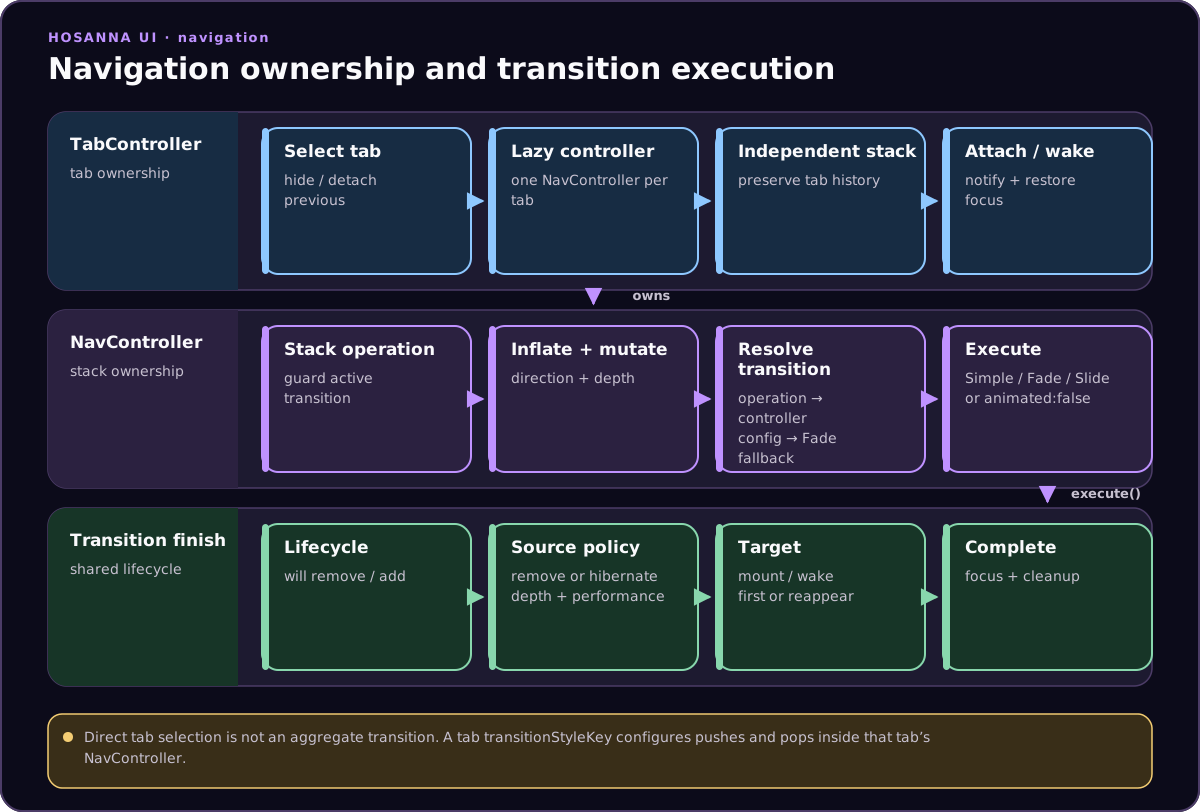
TabController does not animate tab selection. A tab definition's
transitionStyleKey is assigned to that tab's child NavController, so it
affects pushes and pops within the tab.
Lifecycle and custom transitions
An AggregateViewTransition receives the owner, source, target, animation
flag, and removal policy through execute(). A custom subclass implements
begin() and must eventually call finish(). The base finish() finalizes
the current view, lifecycle callbacks, hibernation policy, and focus.
If a transition allocates overlay renderers or timers, release or stop them
before delegating to super.finish(). Keep the target's final view state in
sync with any renderer values changed per frame.
Navigation operations are ignored while the current transition is in
Started or InProgress, so prevent repeated action dispatch at the UI level.