Architecture & Diagrams
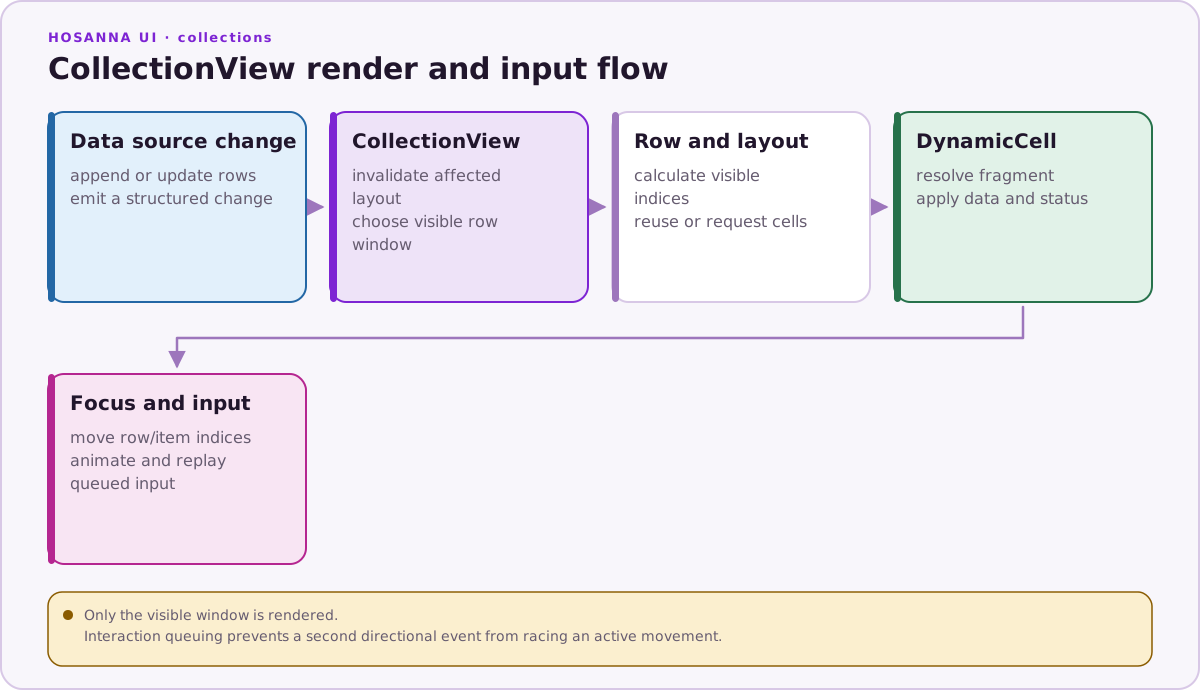
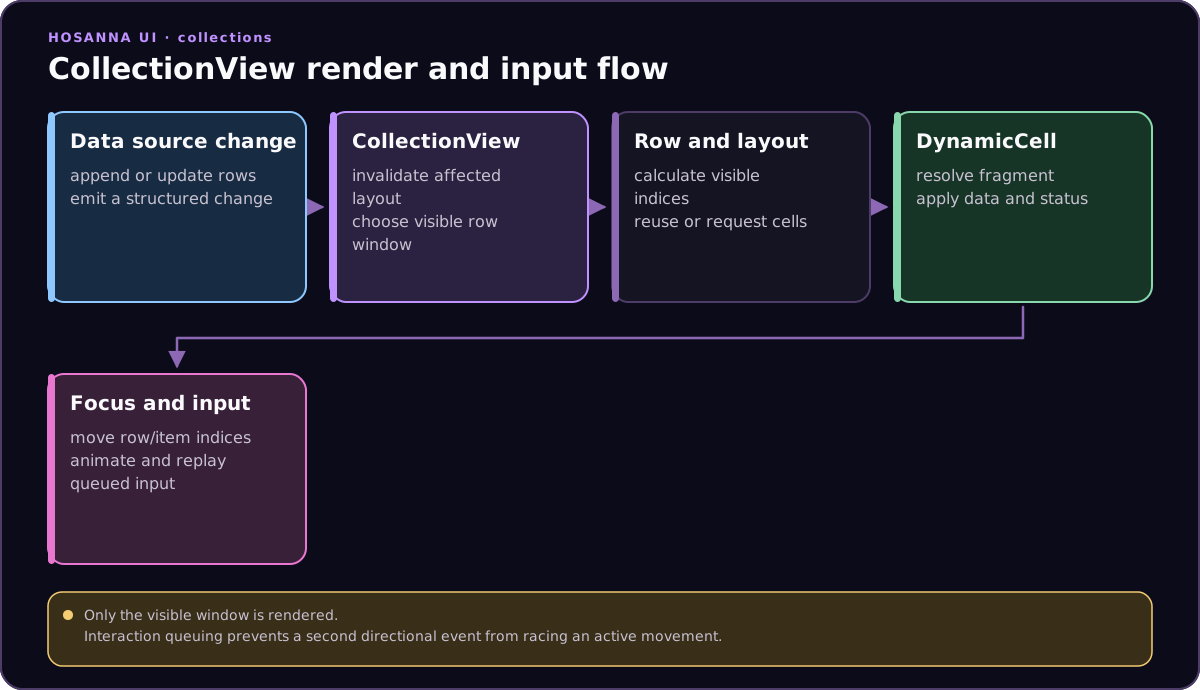
Rendering Flow
Runtime Pieces
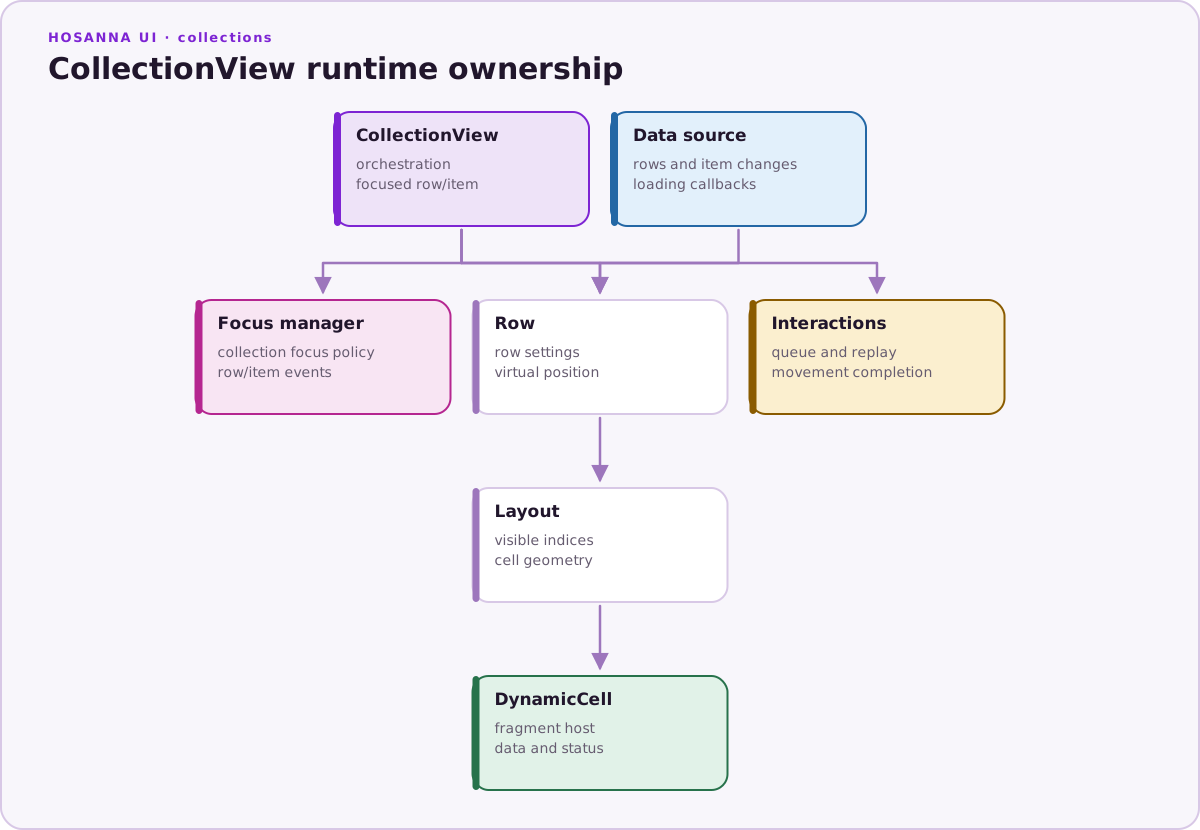
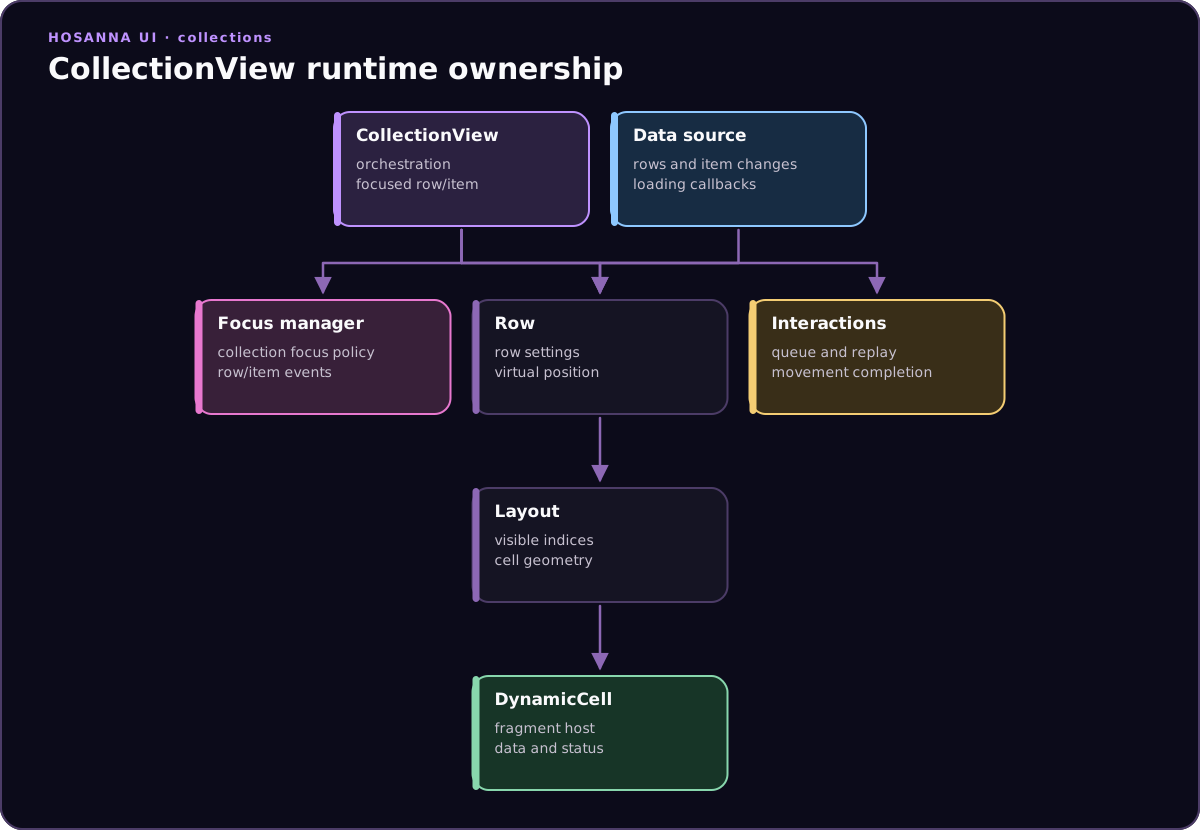
CollectionViewViewowns focus indices, row instances, render windows, interaction queueing, and high-level events.CollectionViewDataSourceowns row data, row versions, pending mutations, loading items, and row style resolution.- Row classes such as
HorizontalRow,GridRow, andListRowown row-specific layout and cell positioning. DynamicCellhosts AppConfig fragments and applies view status styles efficiently.CollectionViewFocusManagerrenders focus indicator state and focused/footprint cell status.CollectionViewInteractionsqueues directional presses, long presses, jump requests, and scroll animations so rapid input can be replayed after the current movement completes.- Input adapters emit normalized
HsInputEventobjects.InputAdapterManagersends key events toFocusManager.handleInputEvent(event), and focused views receiveonInputEvent(event)when the event is not handled by normal focus resolution. - The scrolling contract is
IScrollable:applyScrollDelta(deltaX, deltaY),getScrollBounds(), andisScrolling. Pointer, wheel, and touch adapters use this shape for continuous scroll targets while remote/keyboard navigation usesHsInputEventand CollectionView's row/item focus machinery.
Input and Scrolling Flow
CollectionView sits at the boundary between Hosanna focus navigation and list scrolling. Remote controls, keyboards, pointer wheels, and touch gestures enter through the shared input system, but CollectionView handles them differently depending on the event type.
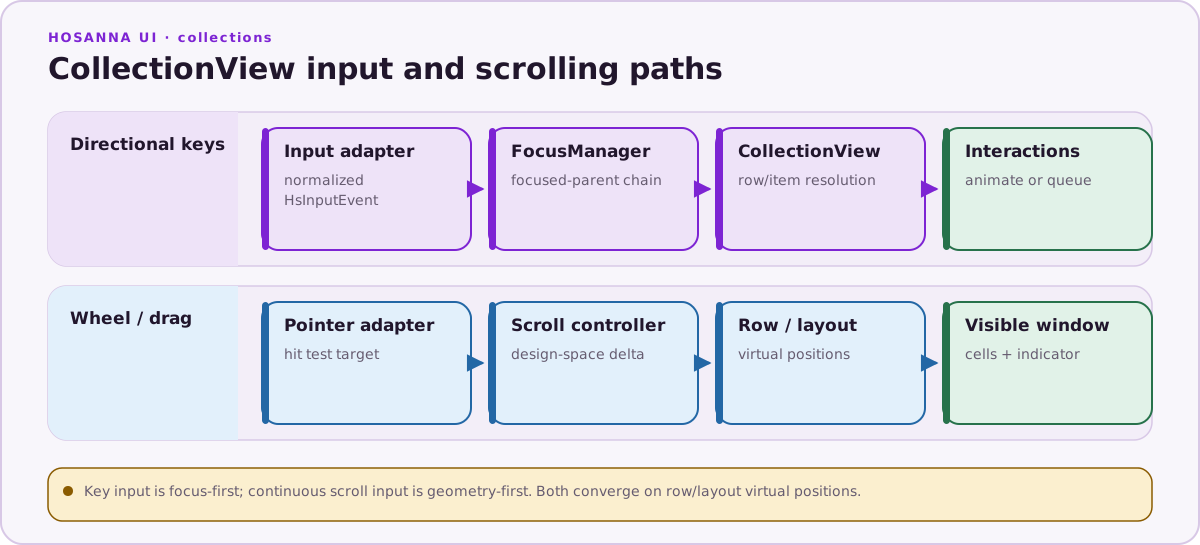
The important distinction is:
- Directional key input is focus-first. A normalized
HsInputEventcarrieskey,keyState,direction,isKeyPress,isKeyRelease, long-press metadata, and cancellation/consumption flags.FocusManagerfirst gives the focused view chain a chance to participate. When the focused view is inside a CollectionView,CollectionView.findNextFocusable(event)forwardsevent.sourceInputEventtoCollectionView.onInputEvent(event). - CollectionView key handling is row/item-first.
onInputEventconsumesPress,LongPress, andLongPressEndstates that it can handle. Direction keys run key-specific DSL triggers first (upKeyTriggers,downKeyTriggers,leftKeyTriggers,rightKeyTriggers), then fall back to horizontal or vertical row/item resolution.OK, long OK, Options, FastForward, and Rewind dispatch their collection events or page movement behavior. - Scroll and drag input is scroller-first. Wheel/touch/pointer adapters can target a CollectionView or row-like region and apply scroll deltas through the scroller-style contract. Those paths update virtual positions and visible cells without requiring a focus-manager directional move for every pixel.
- Interaction queuing prevents animation races. When a directional key arrives while CollectionView is already moving,
CollectionViewInteractionsqueues or replaces the pending interaction based on key direction and long-press state. When the active animation completes, CollectionView replays the next queued interaction as a syntheticHsInputEventwithsourceAdapter: 'collectionView'.
Scroller Interface
The input layer defines IScrollable for surfaces that can accept continuous scroll deltas:
export interface IScrollable {
  applyScrollDelta(deltaX: number, deltaY: number): void;
  getScrollBounds(): { minX: number; maxX: number; minY: number; maxY: number };
  isScrolling: boolean;
}
CollectionView exposes higher-level navigation APIs (jumpToRow, scrollToRow, renderForIndices) and row/layout virtual positions rather than asking application code to push pixels directly. Internally, pointer and wheel behavior maps screen-space deltas or navigation intents onto the same row/layout machinery used by focus animation:
- Vertical movement chooses the next row or the next item inside grid/list rows, then animates to the target row/item.
- Horizontal movement delegates to the focused row layout so horizontal rows can scroll through items while grid/list rows can choose the correct item target.
- Long-press direction input can jump to row or item boundaries.
- Pointer wheel and drag input use hit testing and design-space coordinates to decide whether the active scroll target is the CollectionView, a horizontal row, or another scrollable surface.
For app code, the practical rule is: use scrollToRow(rowIndex, itemIndex?) or jumpToRow(rowIndex, itemIndex?) when you want data/index navigation; use nextFocusMap, onInputEvent, or key triggers when you want focus behavior; use ScrollView or ScrollContainer for page-like screen content that scrolls raw child views.
Do not place Repeater, ScrollView, or ScrollContainer inside CollectionView cells, custom cells, or supplementary/header views. Model nested content as CollectionView rows, cells, headers, and fragments so CollectionView remains the single scrolling and recycling owner.
Performance Notes
- Virtualization: only visible rows and needed cells are rendered.
- Pooling: rows, cells, fragments, and SG nodes are reused to reduce allocation pressure.
- Batched changes: data source mutations can be queued and applied together with
applyUpdates(). - Dynamic rows: remote rows can show loading items, then resolve into real items when content is ready.
- ScrollView contrast:
ScrollViewrenders all children and suits page-like forms or detail content;CollectionViewis the default for large or dynamic data, including grids, EPGs, and season or episode lists.
Pointer, Mouse, and Touch Input
Web input adapters integrate with CollectionView without changing application code:
- Mouse hover can move focus to the row item under the pointer.
- Mouse click maps to focus plus OK selection.
- Mouse wheel scrolls vertical rows or horizontal rows depending on the active target.
- Touch drag starts a pointer scroll session, axis-locks to horizontal or vertical movement, and applies momentum.
- Pointer focus indicator modes include committed focus, hover, press, and hidden states.
Pointer adapters convert browser pixels into Hosanna design-space coordinates before hit testing. CollectionView layout, row bounds, and focus calculations should be reasoned about in design points.
Class Relationships